
8 Best Free VST Plugins for Ableton Live
Oct 04, 2026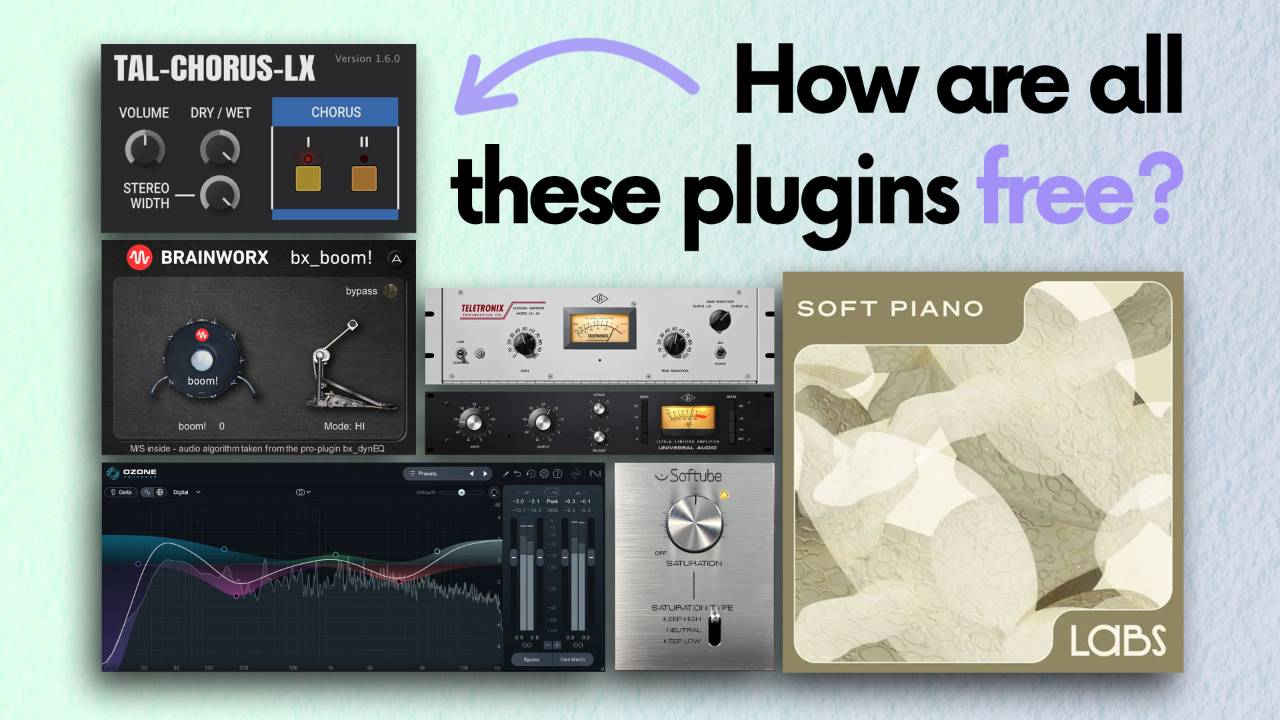
In this article I'm going to take a look at the 8 best free VST plugins for Ableton Live, covering what each one does and the settings I reach for when I use it.
Between them they replace nearly £500 of paid plugins.
None of these sound rubbish.
Some of them cost real money not long ago, and 1 of them was just over £100 when it launched.
There's also an EQ in here that fills the biggest gap in Ableton Live Lite and Intro, and it's the one I'd install first.
I'll get to both.
Every plugin here has been through my own sessions, so what follows is how they behave on real drums and chords, with the controls that matter and the ones that don't.
Key Takeaways on Free VST Plugins for Ableton Live
- Softube Saturation Knob has a gain matcher, and you should use it. Press Set and the output drops by the same amount the saturation added, so you hear the effect rather than the volume.
- iZotope Ozone 12 EQ is the EQ Eight replacement for Ableton Live Lite and Intro. It downloads through Native Access, so you need a free Native Instruments account first.
- Ozone 12 EQ's delta mode plays only the change you've made. Boost 2 bands, press delta, and you hear those 2 boosts on their own.
- Vital has every feature of the paid version. The only thing you get less of is presets.
- UAD Explore FREE includes the 1176 and the LA-2A as full versions. You need a Universal Audio account and the UA Connect app to install it.
- Command G on any plugin builds a parallel chain inside the track. Add a second empty chain named dry and blend the 2 to taste.
Softube Saturation Knob for Drum Bus Saturation
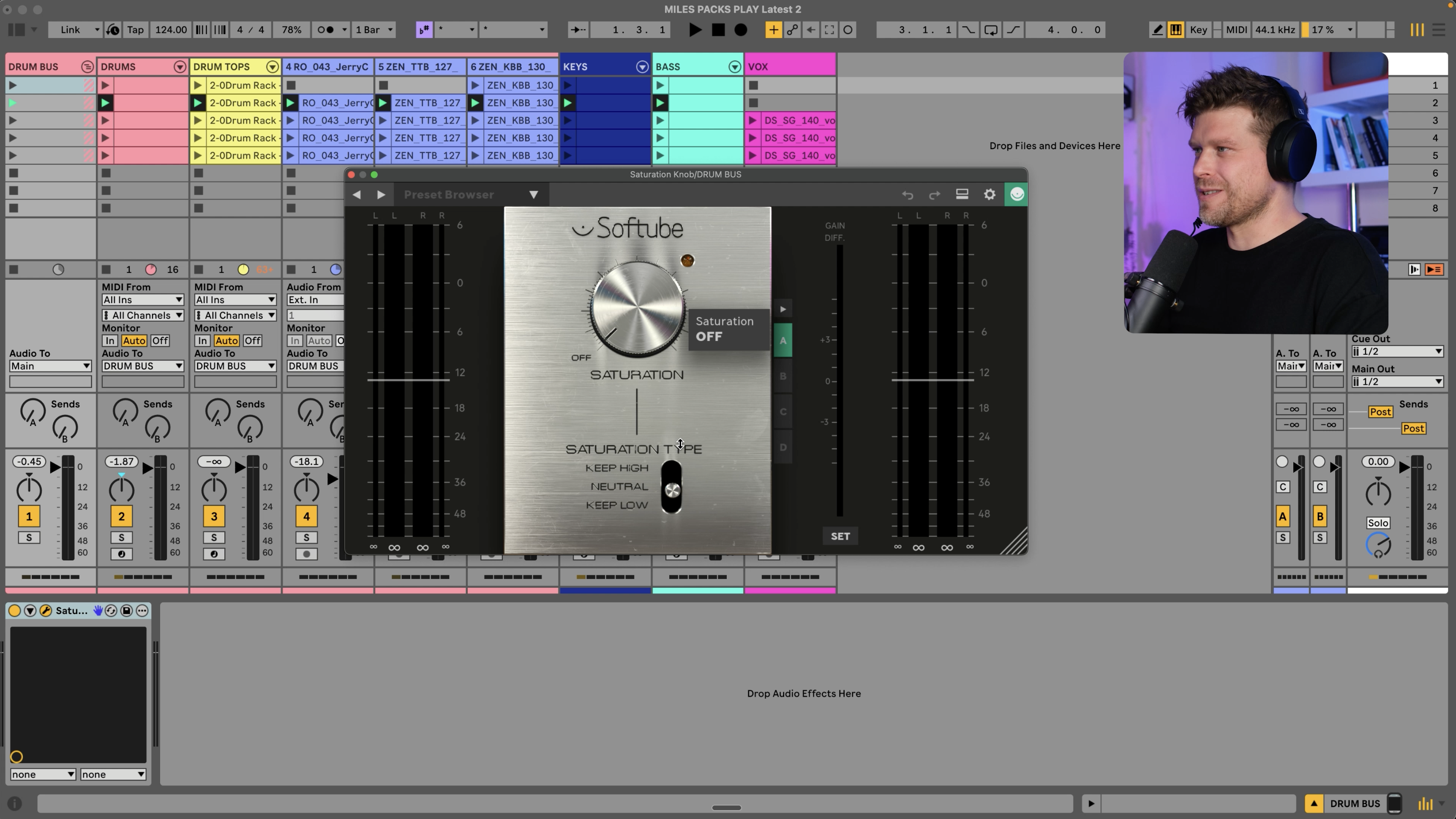
The Softube Saturation Knob is a classic, and it's 1 big dial.
Put it on a drum bus and turn it up.
The kick drum starts to sound farty long before the rest of the kit gets interesting, which is the problem with most saturators on drums.
That's what the switch underneath is for.
Flip it and the saturator leaves the low end alone, so you can push a drum bus with a big kick a lot harder before it falls apart.
The other feature hiding up its sleeve is the gain matcher.
Saturation makes things louder, and louder always sounds better for about 10 seconds.
Turn the dial up, press Set, and the output drops by however much the saturation was boosting it.
Now you can switch the plugin on and off and hear what the saturation is doing to the sound rather than what it's doing to the volume.
On drums that's a bit of sizzle across the top, and nothing else.
That's the whole plugin.
Grab it.
TAL Chorus, the Free Juno 60 Chorus
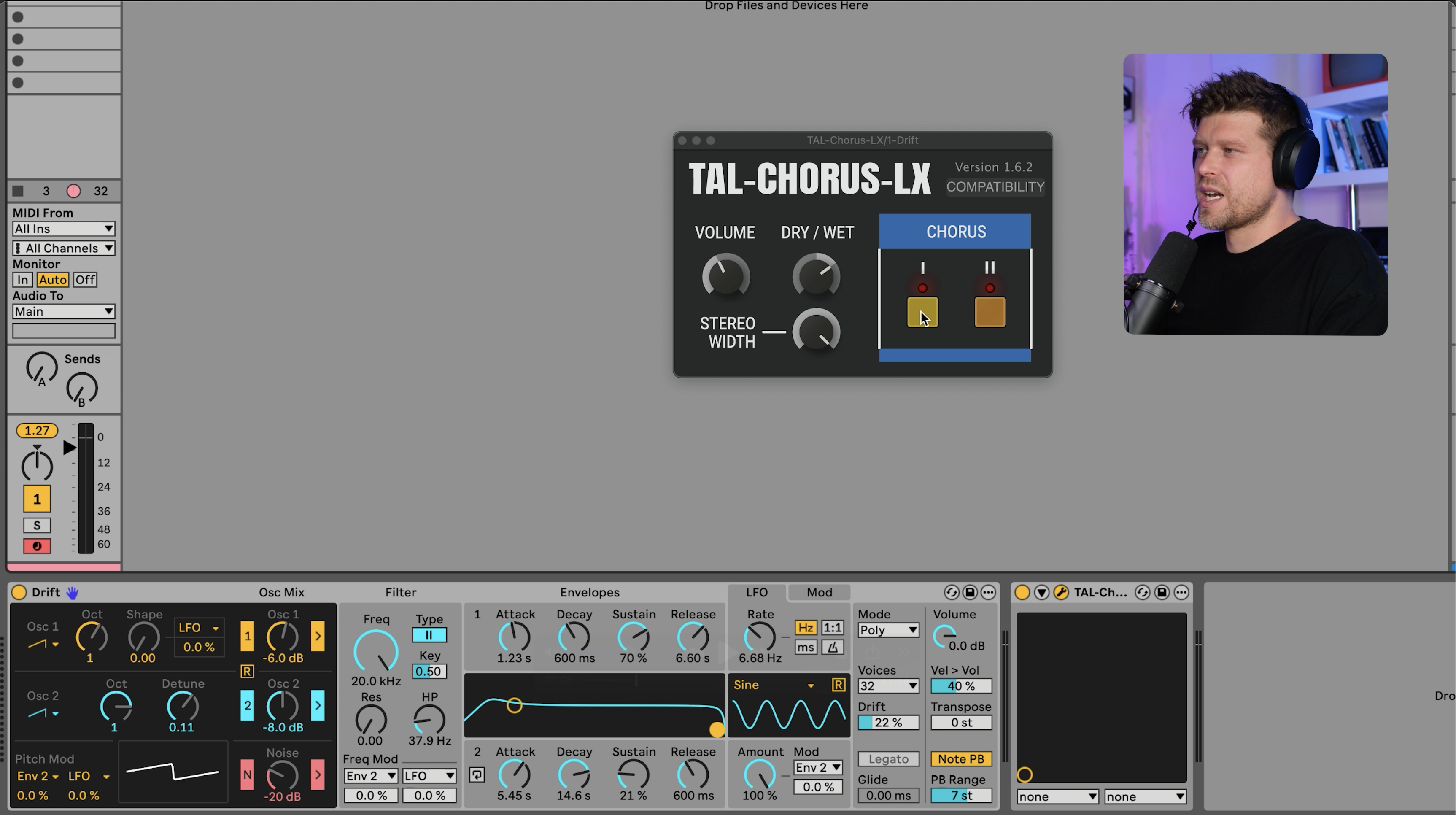
TAL Chorus is a model of the chorus section from the Roland Juno 60, and that section is most of the reason people still want a Juno 60.
I tested it on a Drift patch with 2 saw waves slightly detuned and the filter fully open.
Play some chords, bring in the chorus, and it sounds like a Juno to me.
The controls are volume, dry/wet, stereo width, and 2 buttons marked chorus 1 and chorus 2.
Chorus 1 is the subtle one.
Chorus 2 is the intense one.
You can have both on at once, the same as the hardware, and that's the sound you're probably thinking of.
Here's the catch.
Put it on the chords, then the vocal, then the bass, and the whole mix turns into 1 big mush.
Everything gets wider and softer at the same time, so nothing sits anywhere.
The fix is EQ, which is a good excuse to move on to the next plugin.
iZotope Ozone 12 EQ, a Free Mastering EQ for Ableton Live Lite and Intro
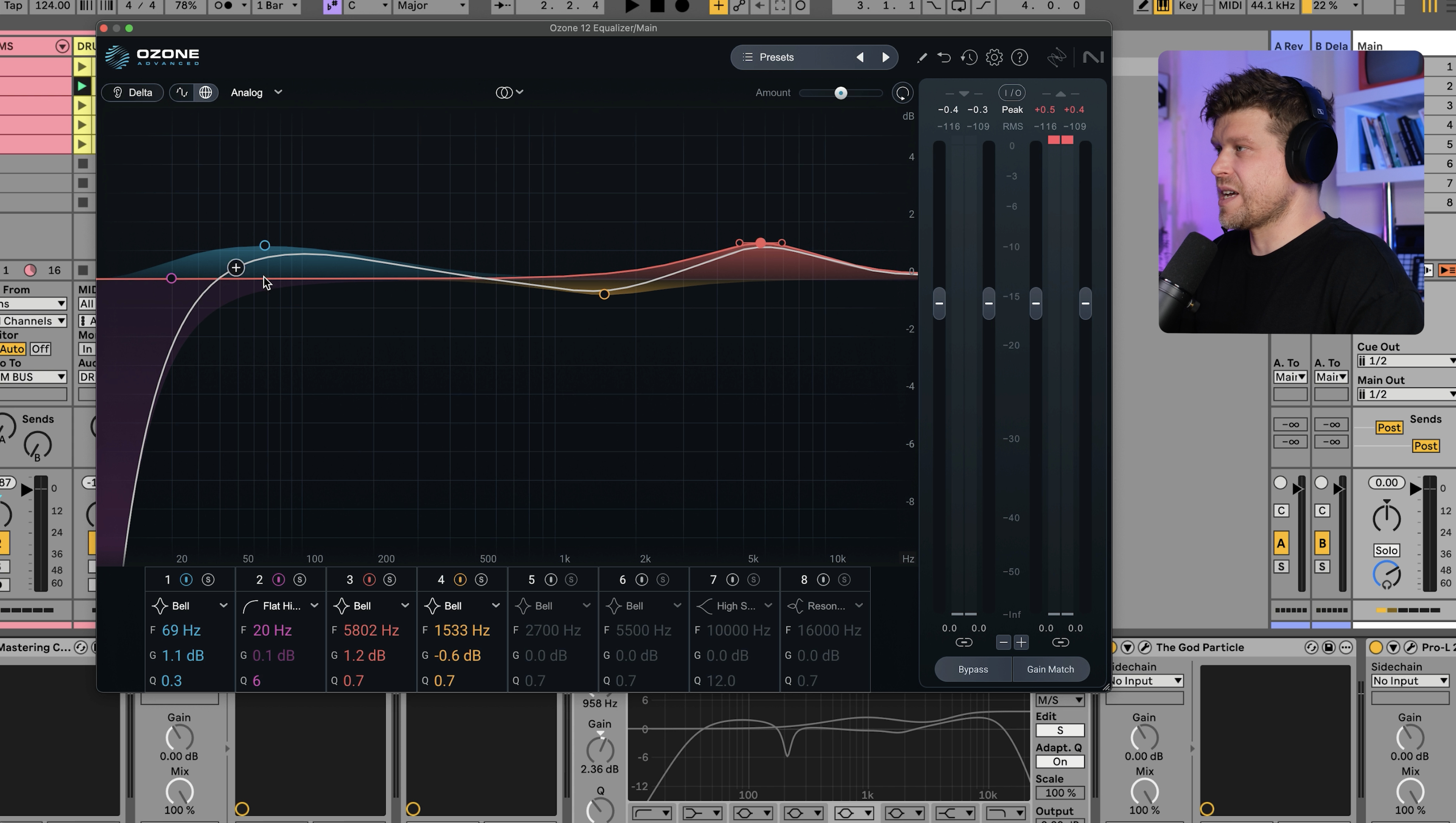
If you're on Ableton Live Lite or Ableton Live Intro, this is the plugin to install first.
Those versions don't include EQ Eight, and a parametric EQ is about as fundamental as it gets in a DAW.
They do let you install third-party plugins, and iZotope Ozone 12 EQ is a mastering-grade parametric EQ that costs nothing.
If you want to know which entry edition to buy, the Ableton Live Intro vs Lite comparison covers the track limits and the one most beginners should pick.
It works like any EQ you've used.
Double click to add a point, pick the filter type, drag the Q wider or narrower, switch bands on and off and solo a single band to hear what it's grabbing.
Then it does 3 things EQ Eight doesn't.
Delta mode plays you only the change you've made, so if you've boosted 2 bands you hear those 2 boosts and nothing else.
Mid/side mode lets you EQ the centre and the sides separately, which is how you cut lows from the sides and lift the highs out there without touching the middle.
Transient and sustain mode lets you EQ the attack of a sound and the tail of it as 2 separate jobs.
A few years ago people paid hundreds of pounds for this.
It's a no-brainer even if you own EQ Eight.
The download runs through Native Access, the Native Instruments installer, so you'll need a free account with them.
Once Native Access is on your machine there are more freebies in the same list.
The Vocal Doubler is 1 big dial that adds a chorusy double to any vocal, and it's perfect for a Splice vocal loop where there's no double track to begin with.
The Vinyl plugin is for the lo-fi crowd, with era settings from the 1930s up to 2000 and a wear control on top.
Be warned that it adds crackle to the background the moment it's switched on.
When I first got it I spent a good while checking every lead in the studio before I found the culprit.
Ozone Imager and Trash Lite are in the same list and both sound great.
Brainworx bx_boom for Kick Drum Weight
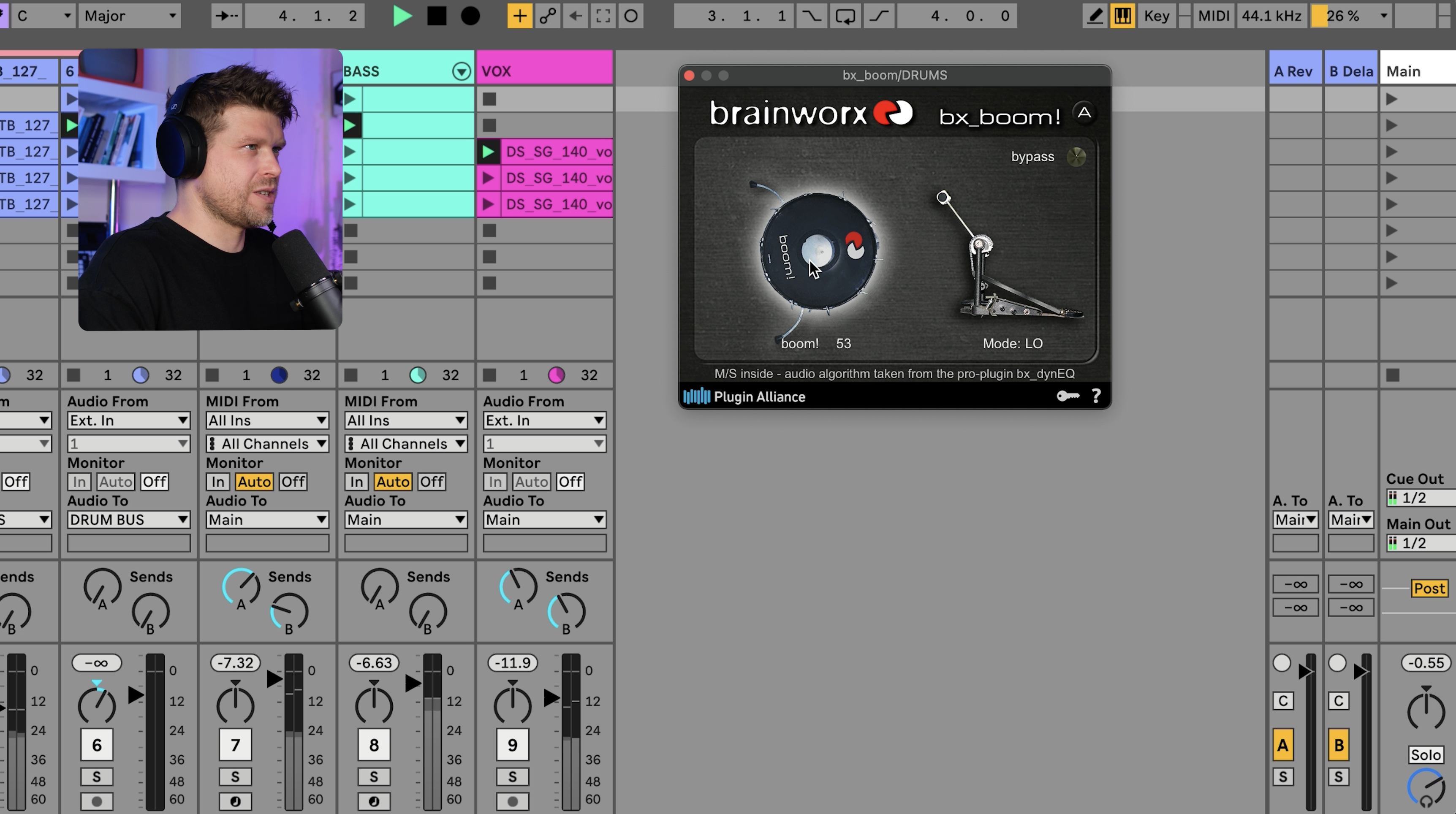
This is the simplest plugin on the list and probably the simplest plugin you'll ever use.
Brainworx bx_boom does what it says on the tin.
It makes your kick drum boom.
Turn the dial marked kick and the low end of the kick gets bigger, with no other controls to worry about.
Take it out of the mix and the kick disappears into the beat.
Put it back and the weight returns.
As far as I understand it, it's a dynamic EQ that listens for the kick transient and boosts the fundamental frequency underneath it.
There's a control marked beta and I'm not sure what it does.
It does something, and the something sounds better, so I leave it alone.
If you make electronic dance music this 1 plugin will have a bigger effect on your track than most paid ones.
It comes as part of the free bundle from Plugin Alliance, which has plenty of other plugins in it, but this one has a special place in my heart.
BBC Symphony Orchestra Discover, a Free Orchestra Inside Ableton Live
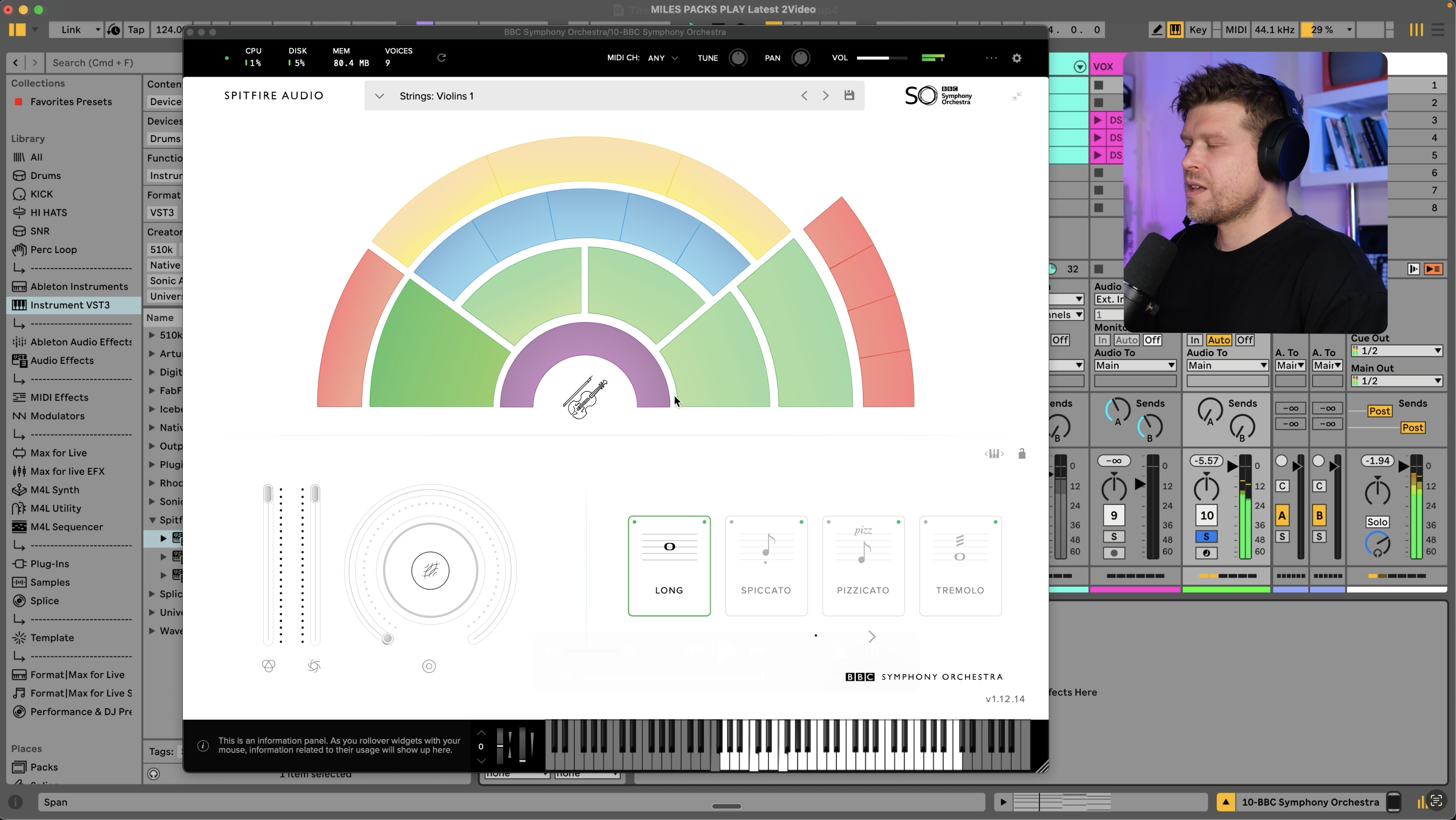
BBC Symphony Orchestra Discover is actual recordings of the BBC Symphony Orchestra, playable from MIDI inside Ableton Live.
Why Spitfire Audio give this away I don't know.
Don't tell them.
Load it on a chord sequence and you get the violins first.
Switch to the celli and the same chords sound like a film score.
The instrument list runs through the full orchestra: strings, woodwind, horns, brass, harp, celeste and a row of percussion along the top.
There's a piano at the bottom of the list too, a Steinway D grand recorded for the orchestra.
It sounds good and it also sounds a bit bright, at least to me.
Which is annoying, because sometimes what you want is a piano with the attack taken off.
That's the next plugin.
Soft Piano on Splice INSTRUMENT, a Free VST Piano
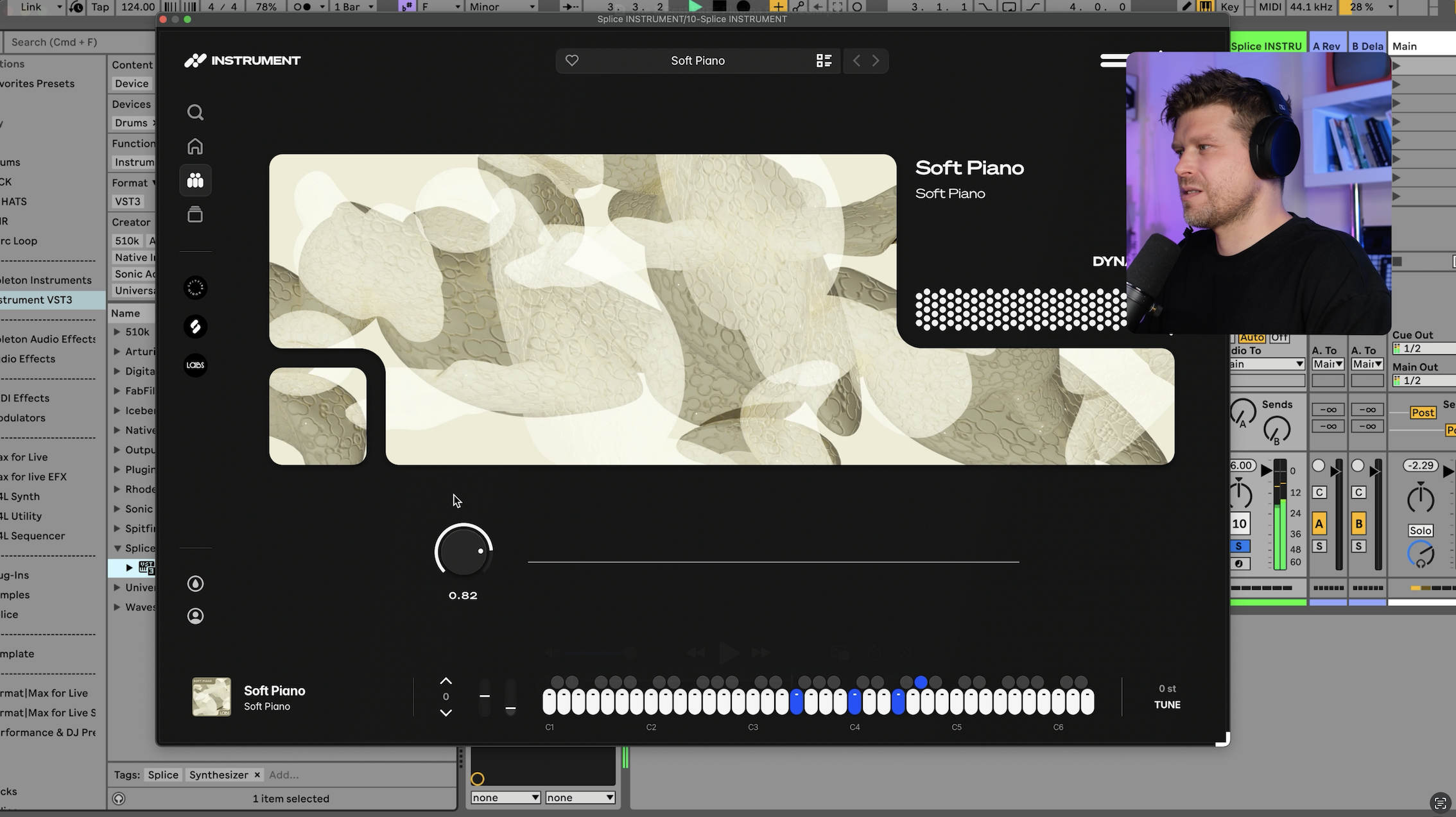
Soft Piano was originally a Spitfire Audio LABS instrument, and when Spitfire's free instruments moved over to Splice it became part of Splice INSTRUMENT.
It's still free, and it's still the same piano.
The interface is 1 reverb dial.
What more do you need in life.
Turn the reverb up and play, and the thing that makes it special is the softness.
There's no bright attack on the notes at all.
I don't know how they captured it, but they captured it well.
When it first came out as the LABS Soft Piano, everyone went a bit mad for it, because sample-based pianos at this level normally cost serious money.
Once it's in your library, look through the rest of the free list on Splice INSTRUMENT.
There's a Piano Granular in there that I could listen to all day.
Add the BBC orchestra and you've got a complete classical setup for £0.
Vital, the Free Serum Alternative
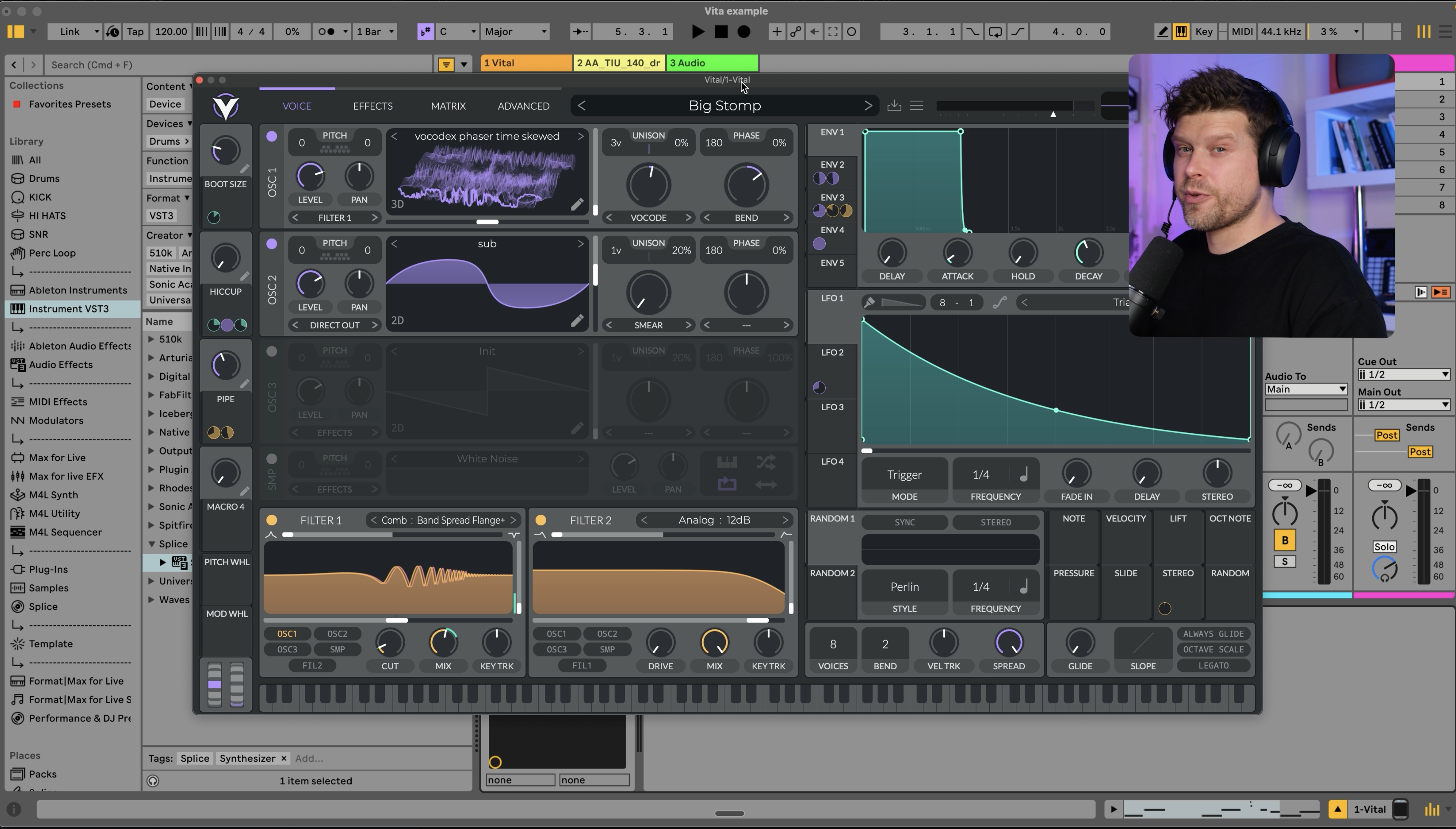
Vital is a wavetable synth, and if you've ever looked at Serum you'll see the resemblance straight away.
It's free, and free doesn't mean crippled.
You get every feature.
The only thing the paid tiers add is more presets, and the free preset list is long enough to keep you busy.
Load a pad preset and it sounds nice.
Head into the bass section, pick something like Big Stomp, and it gets gnarly very quickly.
All of that is in the free version.
To be fair to Serum, it has a rent-to-own scheme now, and so does Ableton, which I think is a fair way to sell software.
If you want to find out more about Ableton Live's rent-to-own scheme, this article on what Ableton Live is covers it, along with everything else the software does.
But Vital is free today, so grab it and see how you get on with it before you spend anything on a wavetable synth.
UAD Explore FREE and the 1176 Compressor
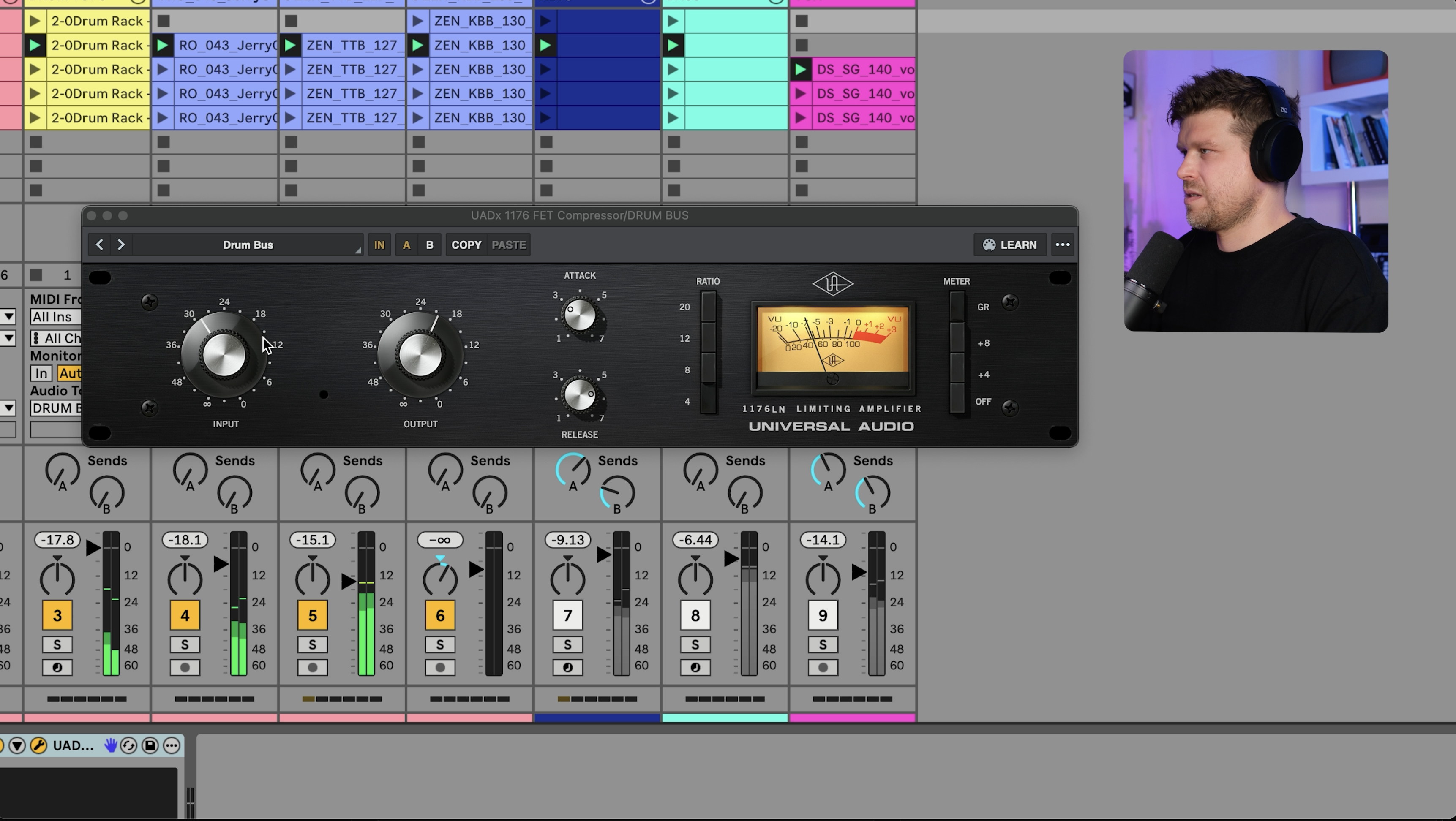
I've saved the best for last.
The 1176 is a compressor known for its character, a slight saturation that sounds great on almost everything you put through it.
The original hardware from Universal Audio costs thousands of pounds.
The plugin was just over £100 when it launched.
It's now free, as part of a bundle Universal Audio call UAD Explore FREE.
The bundle includes the 1176, the LA-2A (which is incredible), a set of preamps, a Pure Plate reverb, a guitar amp, a channel strip, a synth and a full DAW.
Somebody at Universal Audio is feeling very generous.
You'll need a free UA account and the UA Connect app to install it.
On electronic drums the 1176 makes everything fat.
It also squashes them too much, because these are electronic drums and they don't need taming.
Here's the trick.
If you've never opened a rack before, what Ableton Racks are and how to use them is the 5-minute read to do first.
Select the 1176 in the device chain and press Command G.
That wraps it in an Audio Effect Rack.
Press the button to show the rack's chain list, then create a second chain underneath it.
Don't put anything on it.
Don't touch it.
That empty chain is your dry signal, so rename it dry.
The rack is now splitting the audio in parallel rather than running it in series, and you can dial the 1176 chain against the dry chain until the drums are fat without being squashed.
Parallel processing on the track itself, no return channel needed.
If you want more tricks like that parallel setup, 15 Ableton Live tips I wish I'd known 15 years ago has the other 14.
Final Thoughts on the Best Free Plugins for Ableton Live
Every plugin in this list is worth installing.
Added together, the paid alternatives come to nearly £500.
If you only install 1, make it Ozone 12 EQ, because a proper parametric EQ is the tool you'll use on every track.
If you make dance music, install bx_boom second.
Anyone recording with a microphone should install the UAD bundle and put the 1176 on it.
They're all free VST plugins for Ableton Live, so the only thing they'll cost you is a few accounts and an afternoon.
If you want these plugins to slot into a proper workflow in Ableton Live rather than sit on a hard drive collecting dust, my Ableton Live 12 course takes you from an empty project to a finished track using stock plugins and devices.
You can even sneak these free plugins in as well.
Go and get them.
Frequently Asked Questions
Does Ableton Live come with plugins?
Yes, but how many depends on the edition.
Every version of Ableton Live ships with its own instruments and audio effects, and the set grows as you move from Intro up to Suite.
Live Lite and Intro are the ones to watch.
They don't include EQ Eight, and a parametric EQ is the first thing you'll miss.
Every edition, including Lite, lets you install third-party VST plugins, so the gap is easy to fill.
That's why Ozone 12 EQ is the first plugin in this article I'd install on a Lite or Intro setup.
How do you install free VST plugins in Ableton Live?
Run the plugin's installer first, or its installer app if it has one, such as Native Access or UA Connect.
Then open Ableton Live's Preferences and go to the Plug-Ins tab.
Turn on Use VST3 Plug-In System Folder.
If you have VST2 plugins, turn on Use VST Plug-In Custom Folder and point it at the folder they installed to.
On Mac, switch on Audio Units as well.
Press Rescan and the plugins appear under Plug-Ins in the browser, ready to drag onto a track.
Can you use free VST plugins in Ableton Live Lite?
Yes.
Ableton Live Lite supports VST plugins on Windows and Mac, and Audio Unit plugins on Mac, exactly like the full versions.
That's the whole reason a free EQ matters so much for Lite users.
You don't get EQ Eight, but you can drop in Ozone 12 EQ and have a better parametric EQ than most paid DAWs ship with.
The same goes for the rest of this list.
Vital and the 1176 run in Lite without any restriction, and so does the BBC orchestra.
Is Vital as good as Serum?
For most sound design jobs, yes.
Vital is a wavetable synth built along the same lines as Serum, and the free version is the full engine with no features removed.
What you get less of is presets and wavetables.
Serum has the bigger preset ecosystem, so if your workflow runs on buying Serum preset packs, that's the deciding factor.
Serum also has a rent-to-own option through Splice, which is fair.
My advice is to install Vital first and only pay for Serum if you hit a wall.
Do you need an account to get the UAD Explore FREE plugins?
Yes, 3 of them, all free.
You need a Universal Audio account, the UA Connect app to download and install the plugins, and an iLok account to authorise them.
There's no credit card and no subscription, and the licence is perpetual, so the plugins stay yours.
It's a few more steps than a normal installer, but you're getting the full versions of the 1176 and LA-2A, the same ones Universal Audio sell, so the 10 minutes of setup is worth it.
Are free VST plugins safe to download?
They are when you get them from the developer.
Every plugin in this article comes straight from the company that made it, through their own site or their own installer app.
Softube and TAL download from their own sites, and so does Vital.
Ozone 12 EQ comes through Native Access, the UAD bundle through UA Connect, Soft Piano through Splice INSTRUMENT and bx_boom through Plugin Alliance.
Skip the zip file sites.
If a free plugin needs a random download link rather than the developer's, that's the one to leave alone.
What do the paid alternatives to these free plugins cost?
Nearly £500 in total if you bought a paid equivalent of each.
The 1176 alone was just over £100 as a plugin when it launched, and the original hardware costs thousands of pounds.
A mastering-grade EQ like Ozone 12 EQ would have cost hundreds of pounds a few years ago.
Sampled pianos at the level of Soft Piano are normally expensive, and a Serum licence is the obvious paid comparison for Vital.
Every one of those is now available for £0.
About the Author
Craig Lowe is a professional touring playback engineer, Ableton Live specialist and educator based in the UK.
He has over 10 years of teaching experience, online at Push Patterns and at universities including ICMP, BIMM, ACM and ThinkSpace Education.
His Ableton programming credits include Sam Fender, Melanie C, Years & Years and Skunk Anansie.
He runs Push Patterns, where over 1,000 students have learned to produce and perform with Ableton Live, at pushpatterns.com.
If you are interested in learning Ableton Live 12 or the Push 3 in a bit more detail, check the course here:
