
Ableton Push 3 Guide (Standalone and Controller)
May 01, 2026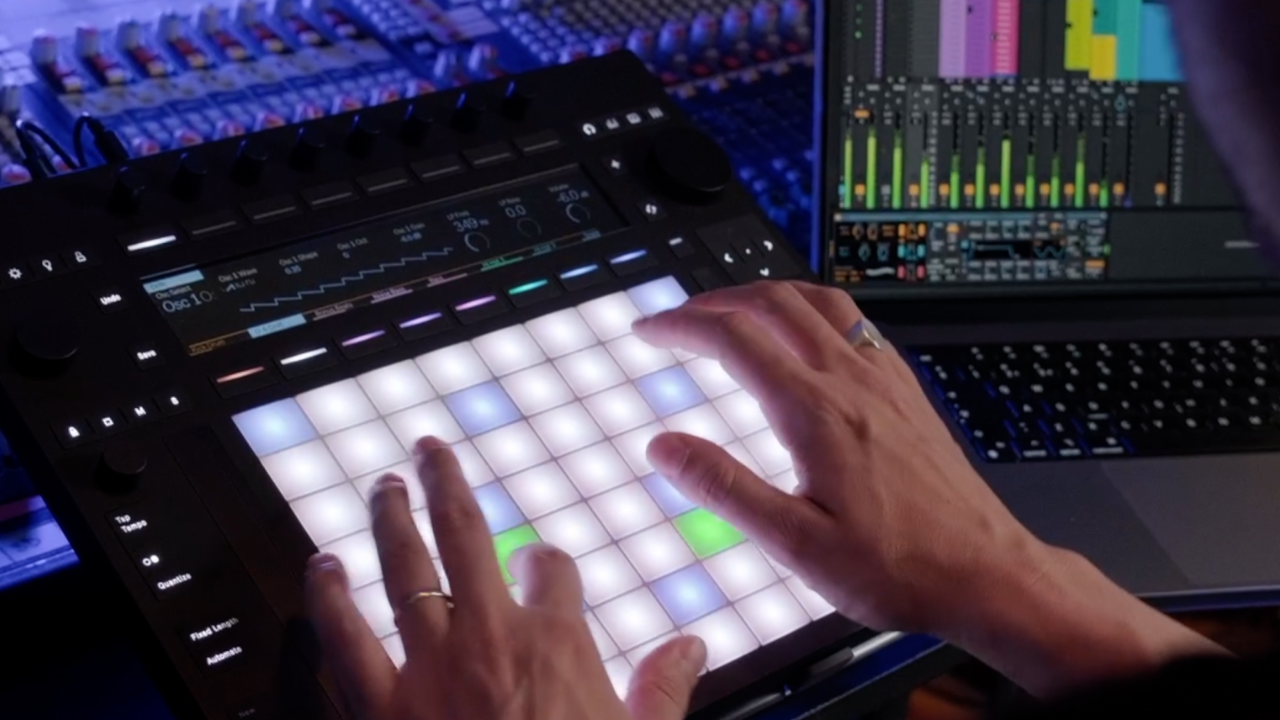
Push 3 is a different way of working.
It's not really a controller in the traditional sense.
It's closer to an instrument that happens to talk to Ableton Live.
Some people love it. Some people don't get it at all. Both reactions are fair.
This page is the shortcut.
Everything I've written about Push 3, in one place, sorted by what you're actually trying to do.
Whether you're brand new, setting one up for the first time, or trying to figure out if it's worth the money, start with the section that fits where you are.
If you want to try Push 3 before committing to anything, grab the free Push 3 training here.
If You're Brand New to Push 3
Start here if you've never touched one before, or you've got one sat on the desk and you're not sure where to begin.
The Push 3 beginner guide walks you through the basics. Two core modes, how to launch your first clips, how to play notes without worrying about playing the wrong ones.
If you're still on the fence about buying one, read is the Push 3 good for beginners first. Honest answer, not a sales pitch.
If you'd rather learn by doing than keep reading, the free Ableton Push 3 course covers the same fundamentals in video form.
Setting It Up Properly
Once you've got it out the box, this is the order I'd go in.
Run through the Push 3 setup guide first. Settings, audio, the bits most people skip and then regret later.
Then have a look at MIDI mapping on Push 3 Standalone. Ableton finally added this in a recent update and it opens up proper hands-on control without a laptop.
If you're running external hardware, you'll want how to send program changes from Push 3 Standalone. Niche but essential if you've got synths or pedals to control.
Going Deeper: Features and Techniques
This is where Push 3 starts feeling less like a controller and more like an instrument.
XYZ mode turns the pads into a 3D performance surface. Pressure, slide, tilt. Genuinely expressive, and most people don't even know it's in there.
Follow actions on Push 3 let you build clips that trigger other clips automatically. Great for live performance and generative ideas.
And how to make your drums sound organic on Push 3 is the one I get asked about most. Programmed drums don't have to feel robotic. There's a few small tricks that make a massive difference.
Push 3 vs Everything Else
If you're trying to work out which version of Push to buy, or whether to get a Launchpad instead, these are the comparisons I'd read.
Ableton Push 2 vs Push 3 covers what's actually different, not the spec sheet stuff you can find anywhere.
If you're weighing up Ableton Push vs Launchpad as your first controller, Push 3 or Launchpad Mini is the honest budget conversation. Both are good. They're for different people.
And if you're looking second-hand, is Push 1 still worth it in 2026 and is Push 2 still worth it in 2026 answer the questions I get in my inbox most weeks.
Want to Learn It Properly?
If you want a structured route through Push 3 rather than picking through blog posts, the full Ableton Push 3 course is on the Push Patterns site.
It takes you from unboxing to performing, in the right order, without the guesswork.
Frequently Asked Questions
Is the Ableton Push 3 worth it?
Honest answer is yes, but only if you're committed to Ableton Live as your DAW. The Push 3 is built specifically for Ableton, and the workflow advantages over a generic MIDI controller are massive once you get past the price. The hardware is genuinely brilliant, the integration is unmatched, and the standalone version means you can leave the laptop at home. If you're still deciding which DAW to use, hold off. If Ableton is your home, it's one of the best investments you can make.
What's the difference between the Ableton Push 3 Standalone and Controller?
Same hardware, same pads, same screen. The Standalone has a full computer built in, so it runs Ableton Live independently with no laptop needed. The Controller has to be plugged into a laptop running Ableton. Standalone is £1,299, Controller is £879. If you're only producing at home, the Controller does the job for less money. If you want to perform live or work away from your desk, Standalone is worth the extra. Ableton sell an upgrade kit if you change your mind later.
Do I need Ableton Live to use Push 3?
Yes. Push 3 is built specifically for Ableton Live and doesn't work as a controller for other DAWs in any meaningful way. Both the Controller and Standalone versions ship with Live 12 Intro included, so you've got a starting point in the box. If you want the full instrument and effects library, you'll need to upgrade to Live Standard or Suite separately. Don't buy Push 3 expecting it to control Logic, FL Studio, or Cubase. It's an Ableton-only tool.
Can I use Push 3 without a computer?
Only if you've got the Standalone version. The Push 3 Standalone has a processor, battery, and SSD built in, so it runs Ableton Live with no laptop needed. The Controller version has to be plugged into a laptop running Ableton to work at all. The Standalone is properly portable, runs on battery for a few hours, and connects to Wi-Fi for cloud sync. If working away from a desk matters to you, it's the version to get.
Is Push 3 better than Push 2?
Better is the wrong word. Different is more accurate. Push 3 adds MPE-expressive pads, a built-in audio interface, CV outputs for modular gear, and the option for standalone operation. Push 2 has none of those. If you don't need any of those features, Push 2 is still a brilliant tool and you can pick one up second-hand for £200 to £300. For a beginner, Push 2 is genuinely fine. The full breakdown is in the comparison post linked above.
Want tips like this straight in your inbox? Join the free Push Patterns newsletter.
About the Author
Craig Lowe is a professional touring playback engineer and Ableton Live educator based in the UK.
He teaches at ICMP, BIMM, WaterBear, and ThinkSpace Education, and runs Push Patterns, a music production education brand at pushpatterns.com.
If you are interested in learning Ableton Live 12 or the Push 3 in a bit more detail, check the course here:
