
Is the Ableton Push 3 Good for Beginners?
Mar 19, 2026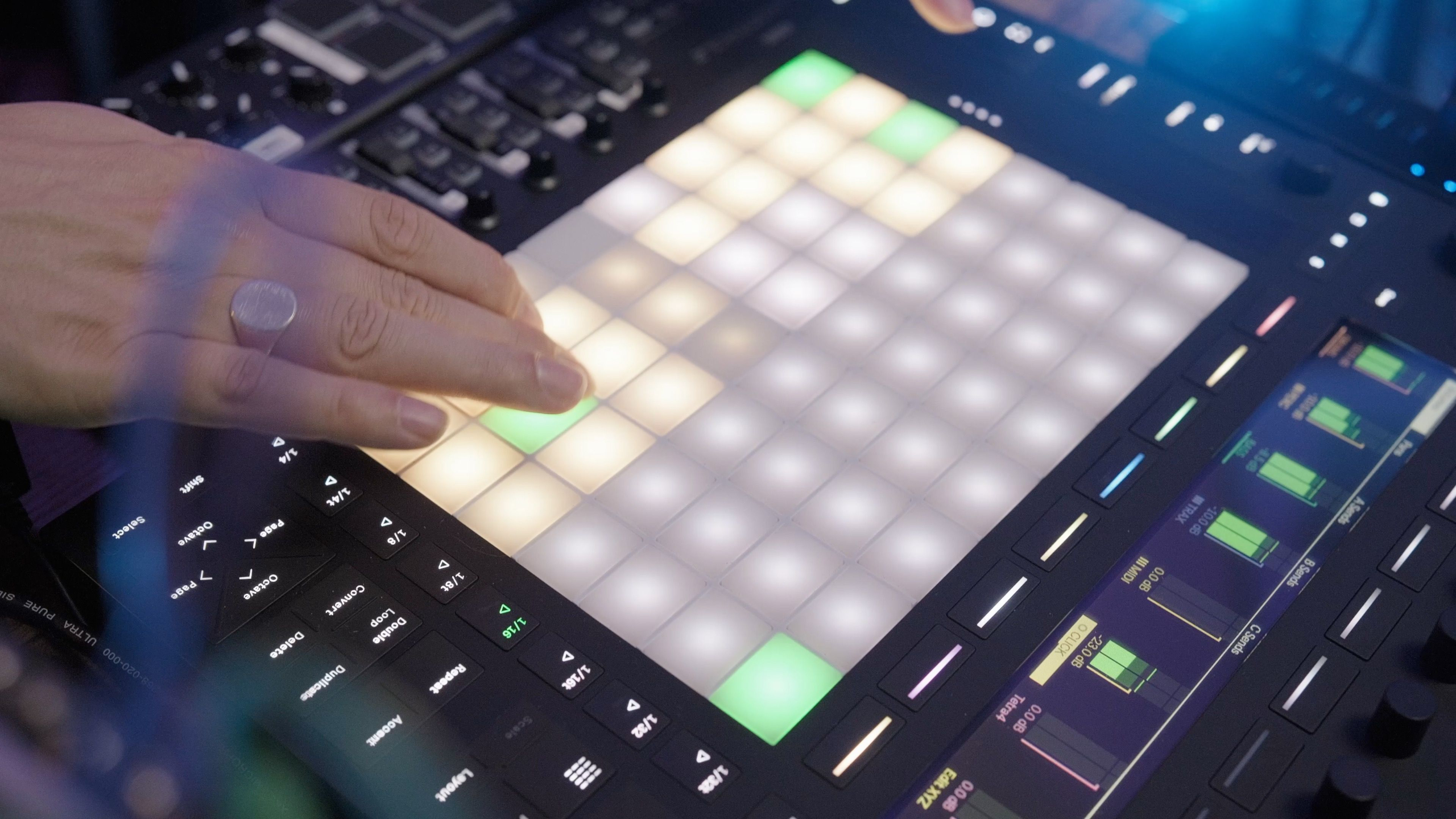
Is the Ableton Push 3 Good for Beginners? An Honest Answer
Every week, someone asks me some version of this question.
In my YouTube comments, in my inbox, and most often in the room during workshops I run at colleges like ICMP, BIMM, and WaterBear.
I want to give you the most honest answer I can here, because there is a lot of content out there that either oversells Push 3 as the perfect beginner tool or dismisses it entirely.
Neither is quite right.
The truth is more nuanced and more useful than either of those takes.
So let me break it down properly.
What Even Is the Ableton Push 3?
If you have landed here without much context, here is the short version.
Push 3 is Ableton's own hardware controller, designed to work hand-in-hand with Ableton Live.
It comes in two versions.
The Ableton Push 3 Controller needs to be plugged into a laptop running Ableton.
The Ableton Push 3 Standalone has a full computer built in, so it runs Ableton Live independently with no laptop needed.
Both have the same 64 velocity-sensitive pads, the same display, the same physical layout.
The standalone just removes the laptop from the equation.
It is genuinely impressive hardware.
I will get to why in a moment.
But I want to address the main issue first, because it shapes everything else.
The Honest Problem: It Is Expensive
The Ableton Push 3 Controller comes in at £879 and the Standalone version is £1,299.
Both versions of Ableton Push come with Live 12 Intro included, which is a limited edition capped at 16 audio and MIDI tracks.
If you want Live 12 Suite (which gives you the full instrument and effects library), add another £470 or so on top of that.
So if you buy the standalone and want a proper setup, you are looking at over £1,750 before you have bought headphones, monitors, or any other gear.
I see what this does to people in real time.
During a Push 3 workshop, the energy in the room is brilliant.
Everyone is playing with Scale Mode, triggering clips, hearing how expressive the pads are.
Then someone asks the question.
I tell them.
And you can see the moment the excitement shifts into "I am not sure this is for me."
That is not because Push 3 is a bad product.
It is because £879 to £1,299 is a serious commitment for someone who does not yet know whether they are going to stick with music production long-term.
That price is the barrier.
Not the hardware.
Not the learning curve.
So Why Do I Still Think Push 3 Is a Great Beginner Tool?
Because the hardware itself is genuinely designed to remove friction for new producers.
Here is what I mean.
Scale Mode removes the fear of playing wrong notes.
This is huge.
When you switch Push 3 into Scale Mode and pick a key, every pad on the grid is a note that works.
You cannot play a wrong note.
For someone who does not have a music theory background, that is liberating.
You can focus on feel and rhythm without worrying about clashing harmonics.
The workflow is visual and hands-on.
One of the biggest challenges with Ableton Live is that it can feel abstract on screen, especially for beginners.
Push 3 maps all of that to physical controls.
You are touching real buttons and pads.
That tactile connection makes a big difference to how quickly things click.
Drum Rack is immediately intuitive.
Tap a pad, it makes a sound.
That is it.
You do not need to understand routing or channels or busses.
You just play.
The display tells you what everything does.
Unlike generic MIDI controllers where you have to memorise what each knob does, Push 3's screen tells you in plain text.
That alone saves beginners hours of confusion.
For a dedicated beginner who has made the financial commitment and is serious about learning Ableton properly, Push 3 is one of the best environments you could learn in.
The interface is designed to teach you how Ableton thinks.
The Two Things Every Push 3 Beginner Needs to Understand
Here is what I tell every student who sits down with Push 3 for the first time.
There are really only two core modes you need to get your head around.
Session Mode is where you launch clips and scenes.
Think of it as your performance and arrangement space.
Each pad represents a clip.
You trigger them in real time.
Note Mode is where you play Push 3 like an instrument.
This includes both Drum Mode (for programming beats) and the melodic pad layout (for playing chords and melodies using those MPE-expressive pads).
That is it.
Two modes.
Everything else builds from there.
My advice for beginners is always the same.
Start with Session View.
Get comfortable with launching clips and understanding how Ableton's clip-based workflow operates.
Once that clicks, everything else makes sense.
If you want a structured way into it, I have put together a free Ableton Push 3 course that breaks this down into three simple steps.
No fluff, no overwhelm.
Just the core stuff you actually need to get started.
Grab the free Ableton Push 3 course here.
What If You Cannot Stretch to £879?
This is where I want to be practical.
Because "it's great but expensive" is not a useful answer on its own.
Here is how I think about the budget tiers.
Novation Launchpad Mini or Launchpad X (£79 to £152)
These are what I call the gateway drug.
The Launchpad Mini is the single most accessible way to get into Ableton with a dedicated controller.
It gives you 64 RGB pads, Scale Mode, and comes bundled with Ableton Live Lite.
Plug it in, start making music.
The Launchpad X (around £139 to £152) steps it up with velocity-sensitive pads and polyphonic aftertouch, which makes it a lot more expressive than the Mini.
Neither has a screen, built-in audio interface, or the hands-on mixer controls of Push 3.
But for learning how Ableton's Session View works and getting comfortable with pad-based production, they do the job at a fraction of the cost.
I actually give away a Launchpad Mini on my YouTube channel every time I hit 10k subscribers.
It is the controller I genuinely recommend to absolute beginners, because it lets you figure out whether this workflow suits you before spending serious money.
If you are weighing up Ableton Push vs Launchpad as your first controller, the Launchpad Mini is the lower-risk starting point.
Ableton Move (around £433)
This one is newer and criminally underrated in beginner discussions.
Ableton Move is a small, standalone groovebox released in October 2024.
It runs a simplified version of Ableton's engine with 32 pads, built-in sounds, a step sequencer, Wi-Fi, a built-in mic, and a battery, all for around £433.
No laptop needed.
It is limited to four instrument tracks, which sounds restrictive but is actually a feature for beginners.
Fewer decisions mean more focus on actually making music.
You can sketch ideas on the Move and then import them straight into Ableton Live on your computer via cloud sync.
For a beginner who wants a standalone Ableton experience without committing to Push 3's price, Move is genuinely worth looking at.
Ableton Push 2 Second-Hand (£200 to £300)
This is my personal favourite recommendation for beginners who are already committed to learning Ableton properly.
Push 2 is the previous version of Push.
Ableton discontinued it when Push 3 launched, so second-hand prices have dropped significantly.
You can pick one up on eBay or Reverb for somewhere between £200 and £300 depending on condition.
If you are comparing Ableton Push 3 vs Push 2, the core workflow is almost identical.
You mainly lose standalone capability, MPE pads, and the built-in audio interface.
But for a beginner learning Ableton, none of those things are dealbreakers.
If you are wondering whether Push 2 is still good for beginners, the honest answer is yes.
It covers everything a new producer needs to learn and it is fully compatible with Ableton Live 12.
So When SHOULD a Beginner Buy Push 3?
Before deciding, it's worth seeing exactly what's involved. Our free Ableton Push 3 course walks through the same fundamentals covered below, so you can try it before you commit.
I think Push 3 makes sense for a beginner in a few specific situations.
You are absolutely certain this is your thing.
You have been making music for a while, even at a basic level.
You know Ableton is the DAW you want to commit to.
You are not dabbling.
In that case, buying Push 3 early means you grow into it rather than outgrowing a cheaper controller.
You want the standalone version and you plan to perform live.
The Ableton Push 3 Standalone is a different product to the controller.
It is not just a controller with a computer in it.
It is a portable performance workstation.
If live performance is part of your plan from day one, that changes the calculus.
You have done the financial maths and it makes sense.
Look at the total cost of ownership.
Ableton Push 3 Controller (£879) plus Live 12 Standard or Suite.
If you were already planning to buy Live anyway, the gap between Push 3 and a cheaper controller narrows.
The question is whether the workflow improvement is worth the premium.
You can justify the investment with proper learning.
This is the honest one.
Push 3 is only worth the price if you actually learn how to use it.
A £879 controller gathering dust because the learning curve felt overwhelming is money wasted.
A £79 Launchpad Mini that you use every day is money well spent.
If you do go for Push 3, Ableton sells an official Push 3 upgrade kit that lets you convert the tethered Controller version into a Standalone at a later date.
It is DIY, straightforward, and means you do not have to commit to the full Standalone price upfront.
The free Ableton Push 3 course I mentioned earlier is the fastest way to build that confidence from the start.
Three steps, no jargon, and it focuses specifically on getting you making music rather than just understanding what the buttons do.
Get started with the free Ableton Push 3 course here.
What the Rest of the Internet Gets Wrong About This
Most Push 3 reviews are written from the perspective of an experienced producer evaluating hardware.
They are not written by someone who has watched dozens of beginners try to get started with it in real time.
They treat the price as a footnote rather than the central issue.
For most beginners, £879 is not a footnote.
It is the whole question.
They do not mention Push 2 second-hand.
Which is wild, because it is the obvious recommendation for anyone who wants the Push experience at a more accessible price.
They ignore Ableton Move entirely in the context of beginner options.
Move was specifically built to lower the barrier to entry into the Ableton ecosystem.
It belongs in every one of these conversations.
And they do not address the learning curve from a first-person classroom perspective.
That matters.
There is a difference between reading about Scale Mode in a spec sheet and watching a student discover it for the first time and immediately start making something that sounds musical.
The Bottom Line
Is the Ableton Push 3 good for beginners?
Yes, with the right context.
The hardware is brilliant.
The workflow removes a lot of the friction that beginners typically struggle with.
Scale Mode, visual step sequencing, direct Ableton integration, all of it is designed to get you making music faster.
But the price is a real barrier, and you should be honest with yourself about it.
If you are at the very beginning of your production journey and you are not yet sure this is your long-term path, start somewhere else.
A Launchpad Mini, an Ableton Move, or a second-hand Push 2 will teach you everything you need to know to decide whether Push 3 is your next step.
If you are already committed, or you already have one, then Push 3 is genuinely one of the best tools you can learn on.
The key is understanding its two core modes and building from there.
Start with Session View.
Get that working.
Then move into Note Mode and Drum Mode.
And if you want a shortcut through that process, the free course is right here.
Access the free Ableton Push 3 course.
Frequently Asked Questions
Does Ableton Push 3 Come With Ableton Live?
Yes, both versions of Push 3 come with Live 12 Intro included in the box.
That gives you up to 16 audio and MIDI tracks and a solid selection of instruments and effects to get started.
It is enough to learn on.
If you want the full instrument and effects library, you will need to upgrade to Live Standard or Suite separately.
That is worth knowing before you budget, because the hardware price alone is not the full picture.
Can You Use Ableton Push 3 Without a Computer?
Only if you have the Standalone version.
The Push 3 Standalone (£1,299) has a processor, battery, and SSD built in, so it runs Ableton Live independently with no laptop needed.
The Controller version (£879) has identical pads and features but needs to be connected to a computer running Ableton Live to work.
The good news is you can buy the Controller version first and add the Standalone upgrade kit at a later date if your needs change.
What Is the Difference Between Ableton Push 3 and Push 2?
The core workflow is almost the same.
Both have the same pad layout, the same modes, and the same tight integration with Ableton Live.
The main differences are that Push 3 has MPE-expressive pads, a built-in audio interface, CV outputs for modular gear, and the option for standalone operation.
Push 2 has none of those.
For a beginner just learning Ableton, those extras are not dealbreakers.
A second-hand Push 2 at £200 to £300 does the job well and is still fully compatible with Ableton Live 12.
Is Ableton Push 3 Worth Buying for a Beginner?
It depends entirely on where you are in your production journey.
If you are serious about Ableton and you can justify the cost, the hardware is genuinely one of the best environments to learn in.
Scale Mode means you cannot play a wrong note.
The display tells you what everything does.
The workflow clicks faster than staring at a screen.
But if you are not yet sure music production is your long-term thing, start with a second-hand Push 2 or a Launchpad X and work up from there.
Do not spend £879 on something you might not use.
What Version of Ableton Live Do You Need for Push 3?
Push 3 requires Ableton Live 11.3 or later.
It does not work with Live 10 or anything older than that.
Both versions of Push 3 ship with Live 12 Intro pre-loaded, so you can get started straight out of the box without buying anything extra.
If you already own a Live Standard or Suite licence, you can authorise it directly on the hardware via Wi-Fi and unlock all the instruments and effects that come with your version.
Craig Lowe is a touring playback engineer (Sam Fender, Melanie C, Years & Years) and Ableton educator at ICMP, BIMM, WaterBear, and ThinkSpace Education.
He runs Push Patterns, a YouTube channel and education brand focused on Ableton Live and Push 3, with over 32,000 subscribers.
If you are interested in learning Ableton Live 12 or the Push 3 in a bit more detail, check the course here:
