
Best MacBook for Music Production in Ableton Live
Sep 27, 2026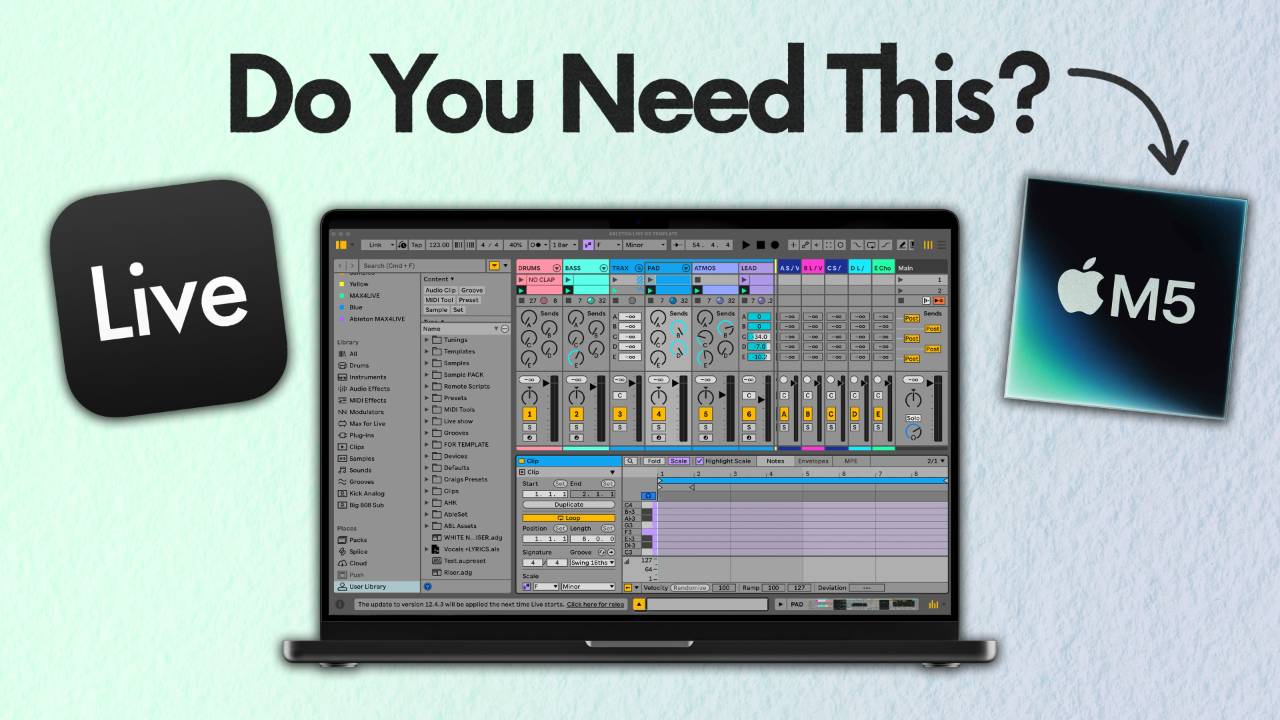
In this article I'm going to walk through the best MacBook for music production in Ableton Live, covering the chip, MacBook Air vs MacBook Pro, screen size, RAM, storage, and whether to buy new or refurbished.
Apple gives you a lot of ways to spend too much money on a laptop.
By the end you'll know the exact spec I tell my students to buy, and how to get it for over £1,000 less than the Apple Store price.
2 things trip most people up before they get anywhere near the chip.
1 is a port count almost nobody checks.
The other is a storage myth I see students fall for every year.
I'll get to both.
This is the question I get asked more than any other, teaching at universities and online at Push Patterns, and the machine I recommend is the one I run every day.
Key Takeaways for the Best MacBook for Ableton Live
- Get an M2 Pro chip and skip the Max. The Max is built for video rendering and you'll never use what you paid for in Ableton Live.
- Buy a MacBook Pro over a MacBook Air. The Air has no fans, so under a long session or in a hot venue it can slow itself down to cool off.
- The 14 inch MacBook Pro keeps every port free. It charges over MagSafe, so your 3 Thunderbolt ports, HDMI and SD card slot are all available for gear.
- 16 GB of RAM is the minimum and also enough. More RAM lets you stack more plugins, but for most producers it's money you won't feel.
- Storage size has nothing to do with speed. Get 1 TB if you can find it, 512 GB if you can't, and keep projects and sample libraries on an external SSD.
- Buy it refurbished from Back Market in Fair condition. New is £1,999, the refurbished 14 inch I recommend was £929 when I looked.
Which MacBook Chip Is Best for Music Production in Ableton Live
Think of the chip as the version number of the MacBook.
Right now we're on the M5, with the M6 around the corner, and every year Apple releases a new one that's a bit faster than the last.
This is where you can save the most money.
A new chip every year does not make last year's useless.
I'm running a MacBook Pro with the M2 chip.
I bought it new and it's been flawless.
It doesn't break a sweat on the heaviest sessions.
I can have Ableton Live, Logic, Pro Tools, Photoshop and Final Cut open at the same time and the fans don't kick in.
I've had a go on most of the M chips and they're all good.
I recommend the M2 because it's the one I've lived with day in, day out, and it still performs the way it did the day I unboxed it.
I'm not going to line up spec sheets.
There are plenty of videos for that.
This is experience.
The M chips now come in 3 versions.
A baseline, a Pro and a Max.
On the older Macs like the M2 there were only 2, a Pro and a Max, so on the 14 inch MacBook Pro the M2 Pro is the one you'll be buying.
For music production in Ableton Live, forget the Max.
The Max chip is built for video effects and heavy rendering.
Buying one for Ableton is like buying a Bugatti to drive 5 minutes to the shops in a 20 mph zone.
It's cool, sure.
You'll never get near what it can do.
Baseline or Pro will both handle music production with room to spare.
Apple will also offer you a bump in cores at checkout.
Don't take it.
The extra cores only show up when you're hammering the machine with video and rendering.
1 more thing.
If you're browsing older models, stop at the M chips.
Go back past them and you're into the Intel era, and that's where performance falls off a cliff.
If you're buying the laptop before you've properly met the software, the beginner's guide to Ableton Live covers which edition to get and what else you need alongside it.
MacBook Air vs MacBook Pro for Music Production
If you're worried about weight, the MacBook Air looks like the obvious answer.
It's the lightest laptop Apple makes.
It's missing 1 thing.
Fans.
When the Air is under pressure for a long stretch, the chip gets hot and there's nowhere for the heat to go.
So it drops its speed to cool down.
It's a good everyday laptop.
It's 1 of those things that isn't a problem until it is.
A hot venue, no fans in the computer, and your processing speed drops mid set.
The other cheap option is the 13 inch M1 MacBook.
Refurbished, it's tempting.
Stay away from it.
The chip is fine.
The problem is the ports.
It has 2, and 1 of them needs to be free for the charger.
In the studio you need an audio interface and probably a MIDI controller or 2, so you're straight into adapters.
Live is worse.
I once watched a mate do a whole gig on 1 of these.
He had to charge it fully before he went on and run the entire show off the battery.
New batteries last a long time, but that's a risk I wouldn't take on stage.
The 13 inch screen isn't great for production either.
Plug in a monitor and you've got no port left for the controller.
So it's a MacBook Pro.
The next question is which size.
Why the 14 Inch MacBook Pro Is the Best MacBook for Ableton Live
The 14 inch MacBook Pro is the one I recommend, and the reason is the ports.
It charges over MagSafe, so you don't lose a port to the charger.
You get 3 Thunderbolt ports, an HDMI port and an SD card slot, all free for gear.
Surely bigger is better, though.
Why not the 16 inch?
Because it's heavy, and that's something I didn't think about when I bought 1.
I went for the 16 inch for the screen.
I didn't want a second monitor and I record my screen a lot, so the biggest display made sense.
Then I put it in a backpack and carried it round universities and studio sessions.
It's a brick.
Those extra 2 inches add a surprising amount of weight.
So I swapped it for a refurbished 14 inch MacBook Pro and I haven't looked back.
Same performance.
Easier to carry.
Losing the 16 inch display doesn't bother me either, because in the studio I've got a 4K monitor plugged in.
14 inch.
Don't go 16 and don't go 13.
It has fans and every port you need, and it's small enough to carry to a gig without regretting it.
How Much RAM Do You Need for Music Production
16 GB.
That's the minimum I recommend.
RAM is where most people get stuck, and it's arguably the most important choice because it's the thing you'll fill up inside Ableton Live.
RAM is your Mac's short term memory.
It's the space it uses to keep everything you're running open at the same time.
The more RAM you have, the more plugins and tracks you can run before the computer starts to struggle.
More than 16 GB means you can push more plugins.
For most of us, that's overkill.
If you do run heavy sessions with a lot of plugins and you hit the 16 GB limit, the MacBook won't freeze and die.
As long as you've got the next thing sorted.
How Much Storage Do You Need for Music Production
There's a myth to clear up first, because most of the students I see get this wrong.
A bigger internal drive does not make the Mac run faster.
Storage size has nothing to do with performance.
That's the RAM's job.
Storage is space for keeping things.
The only thing to watch is that you don't fill it up.
When your RAM is full, say you've got a session with a thousand plugins open, the Mac doesn't crash.
It borrows some of your internal storage to help it process.
If the drive is full, it can't.
So keep your Ableton Live projects and your sample libraries on an external SSD.
It's far cheaper than paying Apple to upgrade the internal drive.
The ideal internal storage is 1 TB.
The catch right now is a global SSD shortage.
Prices are up and the 1 TB refurbished models are selling out fast.
If you can't get 1, don't worry about it.
512 GB is perfectly good.
It won't touch the performance of the Mac as long as your big files live on an external SSD.
What MacBook Specs Do You Need for Ableton Live
Here's the full spec, added up.
A 14 inch MacBook Pro.
The M2 Pro chip.
16 GB of RAM.
1 TB of storage if you can find it, 512 GB if you can't, which right now is likely.
It'll handle the most extreme Ableton Live sessions without breaking a sweat.
You'll have every port you need.
It isn't too heavy.
The screen is the right size.
It'll last you for years.
Here's what that looks like in a real session.
I loaded the demo set that ships with Ableton Live and played the chorus.
The CPU meter sat around 13 percent, peaking at about 17.
Then I selected every track and kept duplicating until there were 105 tracks running.
It sat around 50 percent CPU.
You are never going to have 100 tracks in a project.
But even pushed that far, this machine doesn't get past half its CPU.
Should You Buy a Refurbished MacBook for Music Production
Yes.
Here's why.
You can't buy the M2 chip from the Apple Store anymore.
So refurbished is the route to it anyway.
Refurbished isn't the same as secondhand.
Secondhand is a private sale from a bloke down the road.
You might land a bargain.
You might also land a lot of problems and no warranty.
Refurbished is a verified retailer that has tested the machine, replaced whatever needed replacing, and sells it certified with a warranty.
It's like buying from an approved used car dealer.
You pay a bit more than a private sale and you know what you're getting.
Once you start browsing refurbished sites, you'll notice the older the Mac, the cheaper it gets.
It's tempting to keep scrolling down.
Cheaper isn't always good.
Stop before the Intel chips.
Now the maths.
On the Apple Store in 2026, a 14 inch MacBook Pro in silver with the standard display, the baseline chip, 16 GB and 1 TB is £1,999.
On Back Market, my preferred retailer for refurbished Macs, the equivalent 14 inch is £929.
1 caveat on that number.
Refurbished prices move around.
What I paid depends on what was in stock the day I looked, and the same spec can go up or down from week to week as machines come and go.
Treat £929 as a marker, not a promise.
That listing isn't the full 1 TB, because they had none in stock when I looked.
Fair condition, baseline processor, 16 GB of RAM.
With the bigger drive it wouldn't be much more.
I always go for Fair.
The marks are cosmetic and the battery has had daily use.
I'm always plugged in and mine lives in a case, so I couldn't care less about a scratch.
That's a saving of over £1,000 on a computer that feels brand new, give or take whatever the refurb market is doing the day you buy.
It won't be as fast as the M5.
It won't slow down your work in Ableton Live either.
Final Thoughts on the Best MacBook for Music Production
Buy a refurbished 14 inch MacBook Pro with the M2 Pro chip, 16 GB of RAM and 512 GB or 1 TB of storage.
It's the right MacBook for producing in Ableton Live and it's the right MacBook for gigging with it.
Fans, ports, weight and price all land in the right place.
If you render video all day, get the Max.
If you don't, don't.
Once the laptop's sorted, the thing that decides whether you finish tracks on it is workflow, and that's what my Ableton Live 12 course is built around.
When it arrives, there are a few settings fresh out of the box that slow a MacBook down in the studio and make it less reliable on stage.
They're simple to change, and this guide to optimising your Mac for Ableton Live walks through every one of them.
Sort those before you open a single project.
Frequently Asked Questions
Is 8GB RAM enough for music production on a MacBook?
Not for what I'd recommend.
16 GB is the minimum I tell students to buy.
RAM is your Mac's short term memory, the space it uses to keep everything you're running open at once.
The more you have, the more plugins and tracks you can run in Ableton Live before the machine starts to struggle.
Going above 16 GB is overkill for most of us, but going below it is where the ceiling starts to show.
If you're choosing between a bigger drive and 16 GB of RAM, take the RAM.
Is 256GB enough storage for a MacBook for music production?
It won't slow the Mac down, because storage has nothing to do with performance.
That's the RAM's job.
The problem with a small drive is filling it.
When your RAM is full, the Mac borrows internal storage to keep going, and it can't do that if the drive is packed.
I recommend 1 TB, and 512 GB is perfectly good.
Below that you're relying on an external SSD for every project and sample library, which works, but you'll need to be disciplined about it.
Do you need the M2 Max for music production?
No.
The Max chip is built for video effects and heavy rendering.
For Ableton Live it's overkill.
It's a Bugatti for a 5 minute trip to the shops in a 20 mph zone.
The baseline chip or the Pro will both handle music production with room to spare.
The same goes for the extra cores Apple offers at checkout.
They only show up under video and rendering loads.
Put the money into buying refurbished instead and keep the difference.
Is the 16 inch MacBook Pro better for music production?
The screen is bigger.
That's the only win, and it costs you weight.
I bought a 16 inch for the display and regretted it the first time I carried it round universities and studio sessions in a backpack.
Those extra 2 inches add a surprising amount.
Performance is the same as the 14 inch.
I swapped to a refurbished 14 inch MacBook Pro and haven't looked back.
If you want more screen, plug in a monitor.
I run a 4K one in the studio and don't miss the 16 inch at all.
Is a MacBook Pro good for performing live with Ableton Live?
Yes, and the 14 inch specifically.
On stage you need your audio interface and a MIDI controller plugged in with the laptop on charge.
The 14 inch charges over MagSafe and gives you 3 Thunderbolt ports, HDMI and an SD slot, so nothing gets sacrificed.
It has fans, which matters in a hot venue where a fanless machine can throttle.
Don't do what a mate of mine did and run a whole show off the battery because the charger had nowhere to plug in.
Can you run Ableton Live 12 on an Intel MacBook?
It runs.
Ableton's own Mac compatibility guide confirms the Universal build works on Intel Macs.
I still wouldn't buy 1.
When you go back past the M chips into the Intel era, that's where performance drops off, and the jump to Apple's own chips was a big improvement in how efficiently the machine runs.
If you're browsing refurbished listings, the older Intel models look tempting because they're cheap.
Stop at the M chips.
Is the M1 MacBook good for Ableton Live?
The M1 chip is fine.
Any of the M chips will run Ableton Live well.
The catch is the machine it's in.
The cheap 13 inch M1 MacBook only has 2 ports and 1 of them needs the charger, so you're into adapters the moment you plug in an interface and a controller.
The 13 inch screen isn't great for production either.
If you're going M1 to save money, make sure it's a model with proper ports rather than the 13 inch.
About the Author
Craig Lowe is a professional touring playback engineer, Ableton Live specialist and educator based in the UK.
He has over 10 years of teaching experience, online at Push Patterns and at universities including ICMP, BIMM, ACM and ThinkSpace Education.
His Ableton programming credits include Sam Fender, Melanie C, Years & Years and Skunk Anansie.
He runs Push Patterns, where over 1,000 students have learned to produce and perform with Ableton Live, at pushpatterns.com.
If you are interested in learning Ableton Live 12 or the Push 3 in a bit more detail, check the course here:
