
Ableton Push 3 Standalone in 2026: Is It Still Worth Buying?
Jun 21, 2026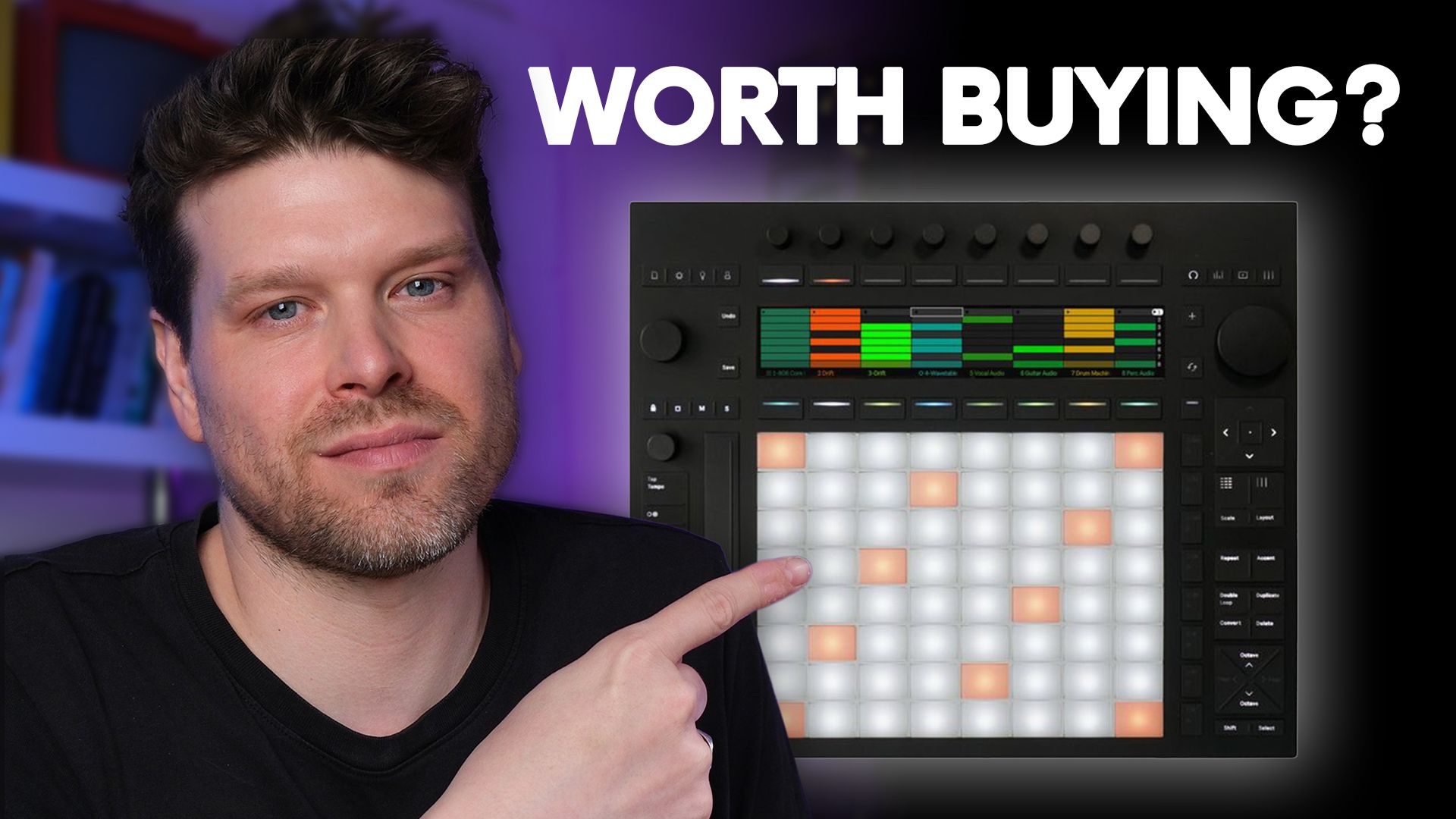
The Ableton Push 3 Standalone has been out a few years now, and it's the question I get asked more than almost any other.
Is it still worth buying in 2026?
I've owned mine since launch and I use it most days.
I also teach the Push 3 for a living and built a full course on it, so I've sat with a lot of people wrestling with this exact decision.
The Ableton Move and the new Akai MPC Sample are cheaper and far more portable, so the obvious thing to ask is whether the big standalone still earns its place.
Here's my honest take.
What it gets right, what still drives me mad, who should buy one, and how you might save yourself a few hundred pounds.
What is the Ableton Push 3 Standalone?
The Push 3 is a hardware controller for Ableton Live, and it comes in 2 versions.
Both share the same body.
You get 64 MPE-enabled pads, touch-sensitive endless encoders, a crisp display and a built-in audio interface with 2 ins and 2 outs.
There's ADAT on the back for another 8 ins and 8 outs, and you can now plug in any class-compliant audio interface.
You also get CV, Gate, Trigger and Clock out of the pedal jacks for modular, plus full MIDI I/O.
The Controller plugs into a computer running Ableton Live.
The Standalone has a computer built in, so it runs Live on its own with no laptop.
Inside the Standalone there's an Intel 11th Gen i3, 8GB of RAM and a 256GB SSD, a battery good for around 2.5 hours, and Wi-Fi for cloud syncing.
That's a lot of hardware, and it adds up to a price that makes the version decision matter.
Push 3 Standalone vs Controller and which to buy
The Controller is £879 and the Standalone is £1,299.
They have the same pads, the same screen, the same MPE and the same Ableton integration.
The only real difference is the computer inside the Standalone.
When I first got into Push 3 I bought the Controller, because I wasn't sure the Standalone was for me.
A few months in, the FOMO got me.
I kept seeing people make full tracks on trains and in coffee shops, away from their laptops, and I wanted in.
So I bought the upgrade kit and turned mine into a Standalone myself, which is surprisingly straightforward to fit.
Here's the thing though.
If you mostly make music at your desk and you're not taking the Push anywhere, the Controller gives you about 95% of the experience.
I've got loads of students who run the Controller and never move it, and they finish tracks all the same.
So ask yourself this before you spend the extra.
Are you genuinely going to make music away from your desk?
If the answer is no, save around £420 and buy the Controller.
You can always grab the upgrade kit later, like I did.
Where the Push 3 Standalone wins
Start with the pads, because they're the best on any MIDI controller.
They feel great and they're customisable, and the MPE gives you 3 levels of expression on every note.
Press down for aftertouch.
Slide up the pad for a note slide.
You can bend between the pads too.
Most people buy a Push for the pads alone, and once you've played them you understand why.
The sampling workflow is fast.
You record audio, warp it, slice it and drop it into Simpler or a Drum Rack, and you're at a playable instrument in under a minute.
If you want to see that sampling workflow pushed properly, I've broken down Four Tet's sampling technique on the Push 3 standalone start to finish.
The drum mode sequencer is the jewel in the crown, and plenty of my Launchpad-owning mates wish they had it and the Note Repeat.
For deep sound design it's one of the most capable standalone boxes going.
MELD has a full modulation matrix, and since 12.4 you can patch an LFO or envelope follower to any parameter on the unit like a Eurorack module.
Then there's the back panel, and this is the main reason it has stayed in my studio.
You can add a class-compliant interface, expand over ADAT, send CV out of the audio outs, and run MIDI over DIN and USB.
Best of all, because you're running Ableton Live inside it, you send the file over Wi-Fi straight into Live on your computer and carry on building.
No stemming out, no dead end.
Ableton Cloud shares projects across your other gear like the Move too.
The bits that still annoy me
Push 3 is not perfect, and these are the reasons people sell theirs within 6 months.
The big one is the lack of an Arrangement View.
You can chain clips and scenes with Follow Actions to fake a structure, but you can't properly arrange a song on the device or move sections around to finish it.
Most standalone boxes at this price can, and it's the feature people have asked Ableton for since launch.
Here's my honest read though.
I think Ableton are leaving it off on purpose.
On a screen this size it would be cramped and worse than reaching for your laptop, and I'd rather have none than a fiddly one.
Doesn't mean I've stopped wanting it.
Next is the plugins.
There are no third-party plugins on the Standalone, so Serum, Vital, Diva and your Kontakt libraries won't load.
For some people that's a dealbreaker and a fair reason to look at the Controller.
That said, the Max for Live library on the Standalone covers a lot of it, often for far less than the VSTs you'd miss.
Last is the browser.
When you first start out it can feel like a lifetime before a sound loads, and it's easy to get lost in a sea of samples and devices.
The Move handles this better by loading you some sounds to begin with, and I hope the Push gets the same.
Is the Push 3 Standalone actually portable?
It looks like it should be.
It's standalone and it's got a battery.
The reality is it isn't, for a few reasons.
It's big and heavy, and it won't slide into a normal bag, so you'll need a separate case and a strong shoulder.
The battery only lasts around 2.5 hours, which isn't long when you're moving around.
And it gets hot.
Properly hot.
On your lap it can feel like you're about to get burned, which is no way to make music.
I'm hopeful you'll be able to upgrade the internals down the line so the heat settles, the same way you can upgrade from Controller to Standalone.
I'm not telling you this to put you off.
I'd rather be straight than sell you a version of this thing that doesn't exist.
Why I still use mine every day
So why do I still use mine every day, and teach it?
Because I treat my Push 3 Standalone as a digital tape machine and the heart of a dawless setup, rather than as something I carry around.
It takes me away from the computer and into a different headspace.
Some of it is slower than a mouse and screen, and that's the point.
I play and jam instead of editing something pristine, and I get music happening.
I've got a separate corner of the studio built around it.
All my hardware synths run into my RME interface.
TRS MIDI feeds the synths and the clock, and ADAT feeds my modular so I can sequence the modules straight from the Push.
I sit there with no laptop and jam.
When something's worth keeping, it goes over to Ableton Live and I finish it properly.
The 12.4 update pushed this further for live work.
You've got custom MIDI mapping on the device and programme changes, and the XYZ pad now drives instruments and effects.
If you're not up to speed on that update, my breakdown of what changed in Ableton Live 12.4 covers the Link Audio and mapping additions in full.
That used to be a pain to set up, and now the Push works as the centre of a live rig.
So the question that matters is simple.
Do you want to play and jam away from the screen, with everything Ableton Live can do sitting right there when you need it?
If that's a yes, the Standalone is built for you.
Who should buy the Push 3 Standalone in 2026?
It comes down to 3 situations.
If you want something genuinely portable to sketch on, this isn't it.
Look at the Ableton Move or the new Akai MPC Sample at £349.
Both are cheaper, and both fit in a bag and cover most of what you'd want on the go.
If you love the idea of Push but it's never leaving your desk, get the Controller.
Same pads and screen, same connections, wired to Ableton Live for £420 less.
Change your mind later and the upgrade kit is there, which is the exact route I took.
If you want a hub for live performance, or a second space where the Push becomes your tape machine, that's where the Standalone earns its money.
You get a full DAW with a dawless head on.
There's none of the dead end you hit with other standalone gear, and your files drop back into Ableton Live when you want to carry on.
And if money is the sticking point, a second-hand Push 2 goes for around £200 to £300 now it's discontinued, and for a lot of people that's the smarter spend.
If you're leaning towards saving the money, my full Push 1 vs Push 2 vs Push 3 comparison weighs up what you gain and lose at each price.
Key takeaways on the Push 3 Standalone
- The Push 3 Standalone is brilliant hardware that makes a poor portable device. It's big and it runs hot, and the battery only lasts around 2.5 hours, so buy it for the studio or the stage rather than the train.
- The Controller does about 95% of the job for £420 less. If the Push is staying on your desk, buy the Controller and add the upgrade kit later if you change your mind.
- The pads and the back panel are the real reasons to own one. The MPE pads feel the best of any controller, and the connectivity lets it sit at the centre of a hardware setup.
- The missing Arrangement View and lack of plugins are the main frustrations. You can't finish an arrangement on the device and Serum or Kontakt won't load, so plan your workflow around it.
- The Standalone earns its money as a dawless hub, not a sketchpad. Treat it as a tape machine that drops ideas back into Ableton Live and it makes sense.
Is the Push 3 Standalone worth buying in 2026?
So, is the Push 3 Standalone worth buying in 2026?
Yes, but only for the right person.
If you want a hub for a hardware or live setup and a space to make music away from the screen, nothing else gives you this much Ableton in a box you play with your hands.
It's been the heart of my studio for years and I'd buy it again.
If you mostly produce at your desk, buy the Controller and save the £420.
If you want something to carry, buy a Move or an Akai MPC Sample.
And if money is tight, a second-hand Push 2 still does the job for most people.
Be honest about how you work, and the right answer falls out of that.
If you want to learn the Push 3 properly rather than fight the browser for a fortnight, my full Ableton Push 3 course takes you from unboxing to performing in the right order.
Frequently Asked Questions
Does the Ableton Push 3 Standalone come with Ableton Live?
Yes.
The Standalone ships with Ableton Live 12 Intro pre-installed, so you can make music out of the box.
Intro caps you at 16 tracks.
If you own Live Standard or Suite, you connect the Push to Wi-Fi, authorise your licence, and that lifts the track limit and gives you the full set of instruments and effects in your version.
So budget for a Live upgrade separately if you want the complete library, because the hardware price doesn't include it.
How many tracks can the Push 3 Standalone run?
It depends on the Live licence you authorise on it.
With the included Live 12 Intro you get up to 16 tracks.
Authorise Standard or Suite and that becomes unlimited, capped only by the Intel i3 and 8GB of RAM inside.
In practice that's plenty for most projects, and you can get to 20 or more instrument tracks before it strains.
If you hit the ceiling, freezing or bouncing tracks buys you the headroom to keep going.
When did the Ableton Push 3 come out?
Ableton released the Push 3 in May 2023, in both Controller and Standalone versions.
The upgrade kit that turns a Controller into a Standalone landed later that year, in December 2023.
So by 2026 it has been out around 3 years, which is why whether it still holds up is a fair question to ask.
The hardware is designed to be upgraded internally over time, so it is meant to stay current rather than date quickly.
Is the Push 3 Standalone or the Ableton Move better for a beginner?
For most beginners, the Move makes more sense.
It is £399 against £1,299, and it loads sounds for you so you are making music in minutes.
Its 4 tracks keep things simple while you learn.
The Push 3 Standalone is the deeper, more capable instrument, but the browser and the price can overwhelm someone just starting out.
Begin on the Move, and step up to a Push later if you find you want more room to grow.
Is a second-hand Push 2 still worth it in 2026?
For a lot of people, yes.
A used Push 2 goes for around £200 to £300, and it is fully compatible with Ableton Live 12.
The core workflow is close to the Push 3, so for learning Ableton at your desk it does the job well.
What you lose is MPE, the built-in audio interface, CV, and standalone operation, and there is no upgrade kit to add those later.
If none of that matters to you, it is the smarter spend.
Push 3 Standalone vs Akai MPC Sample, which should you buy?
They answer different needs.
The Akai MPC Sample is £349 and properly portable, built around fast sampling and beat-making with a battery and speaker, so it suits sketching on the go.
The Push 3 Standalone is far more capable and ties straight into Ableton Live, but it is bigger and pricier, and not a device you carry around.
Buy the MPC Sample if you want something pocketable for ideas.
Buy the Push if you want an Ableton hub for the studio or the stage.
Can the Push 3 Standalone be used as an audio interface for your computer?
Yes.
The Push 3 has a built-in audio interface with 2 ins and 2 outs, and when you connect it to a computer it works as your interface for Ableton Live.
On Windows you need the driver, which installs with Live 11.3 and later.
In Standalone mode you can also plug a class-compliant audio interface into the USB-A port, or expand your I/O over ADAT.
So it covers both jobs, as your interface at the desk and as a self-contained unit away from it.
About the Author
Craig Lowe is a professional touring playback engineer and Ableton Live educator based in the UK.
He teaches at ICMP, BIMM, WaterBear and ThinkSpace Education, and runs Push Patterns, a music production education brand at pushpatterns.com.
If you are interested in learning Ableton Live 12 or the Push 3 in a bit more detail, check the course here:
