
Is Ableton Hard to Learn? (Honest Answer from a Working Educator)
Mar 19, 2026
I get asked this question constantly. At every university I teach at, including ICMP, BIMM, NHAM, and Thinkspace Education Online, it's always the same. Performance students, creative artists, people who've never opened a DAW in their life, they all want to know the same thing before they commit: Is Ableton hard to learn?
So here's my honest answer, based on years of teaching it and using it professionally.
The First Impression Problem
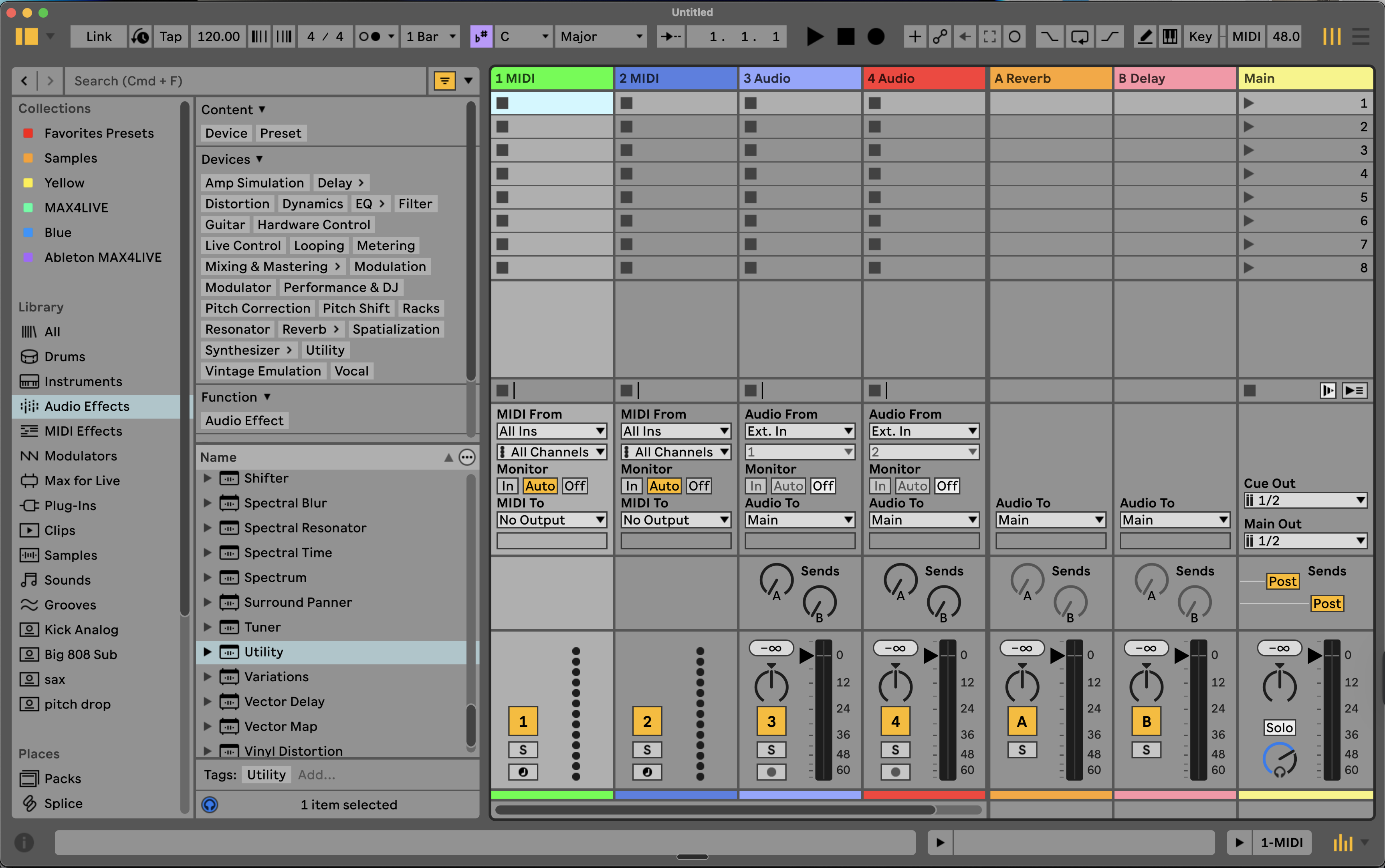
Most people open Ableton Live for the first time and go "hell no."
They see a grid of coloured blocks, close the lid of their laptop, and assume it's not for them.
I completely understand that reaction.
It does look complicated and weird at first glance. Logic and GarageBand don't have this problem. They have what I'd describe as a Disneyland feel, very inviting, very pretty, they hold your hand through everything. If you've come from either of those, Ableton is going to feel like a completely different world.
But here's the thing: once you understand a few basics, it's actually pretty straightforward.
Why Ableton Looks Harder Than It Is
Most people struggle at first because nobody explains how Ableton Live works before they open it. Before we get into the learning curve, it helps to be clear on what Ableton does and why it's built the way it is.
The reason Ableton throws people off is that it doesn't look like a traditional DAW. Most software you've probably seen before is built around a linear timeline, you record from left to right, like an old tape machine. Logic works this way. GarageBand works this way.
Ableton has that too. It's called Arrangement View, and if you want it to work exactly like Logic, you can absolutely do that.
But Ableton also has something called Session View, and that's what confuses people when they first open it.
Session View is a grid of loops. Nothing moves from left to right. You launch clips, they loop around, and you build ideas in real time without committing to a fixed structure. It's not trying to emulate a tape machine. It's trying to be a creative companion, a tool for generating ideas quickly, rather than just recording premade ones.
That shift in thinking is what trips beginners up. It's not that Ableton is harder. It's that it works differently, and nobody explains why before you open it.
My Honest Take on Logic vs Ableton
I've used Logic. I teach students who come from Logic. And what I've found, consistently, is that people get stuck in its workflow.
The linear timeline is fine if you already know what you want to make. You come in with a fully formed idea, you record it, you arrange it. Great. But if you're using your DAW as a creative partner, somewhere to sketch, experiment, find ideas you didn't know you had, that left to right approach can really limit you.
Logic has added AI features to try and solve this, like the session players. My personal view is that they often produce something generic or overly complex, and they don't really replace the feeling of building something yourself. Others might disagree, but I've just never got on with them.
Ableton's Session View solves the same problem in a much more hands on way. You're in control. You're triggering loops, dropping things in and out, building energy, and it works just as well in a live performance setting as it does in the studio.
Is Ableton good for beginners?
Ableton is good for beginners once you know where to start. You don't need to learn all of it at once. You just need to get comfortable with a handful of things, and the rest follows naturally.
Here's where I'd start.
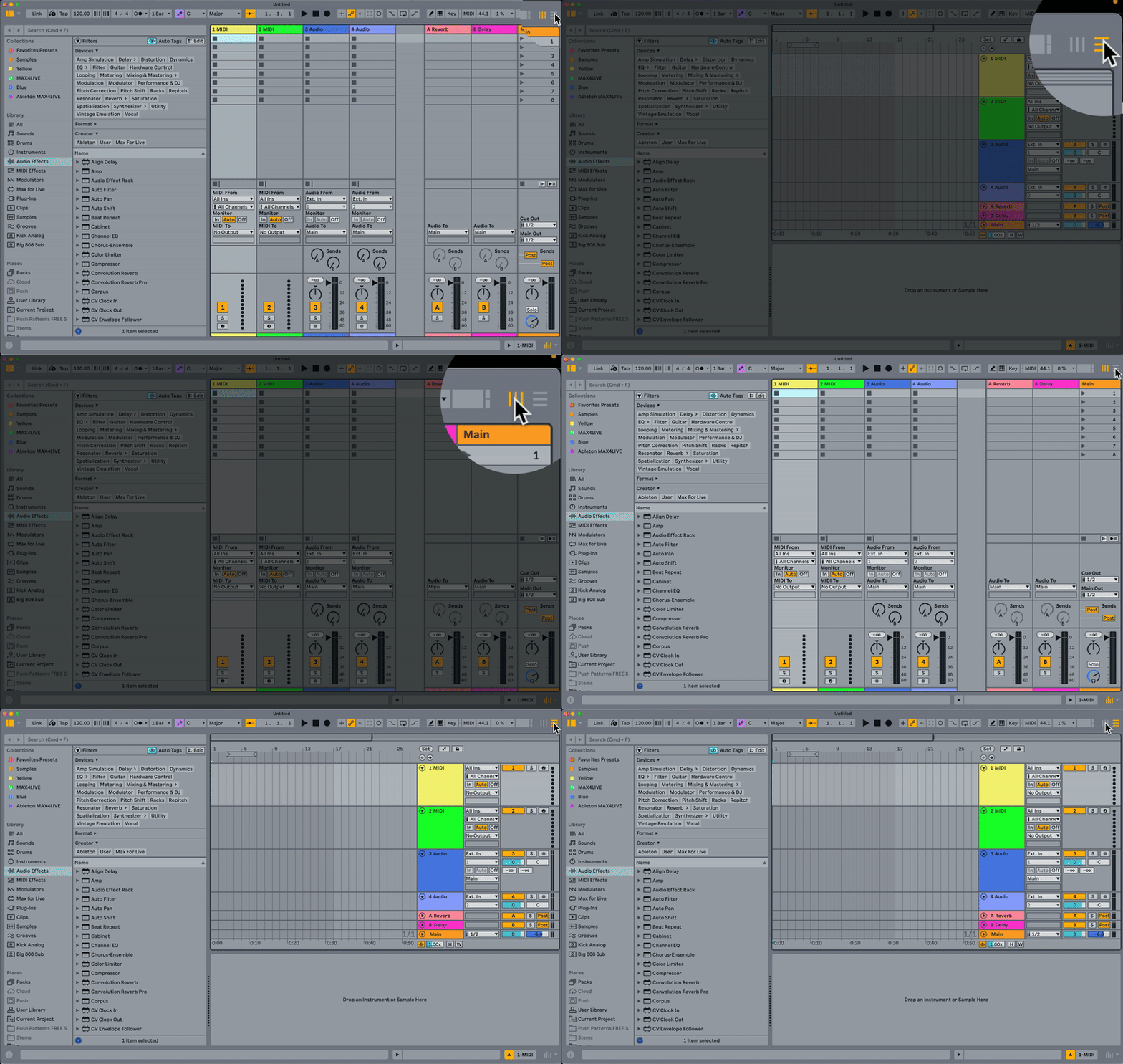
The two views. Session View is your sketch pad and live performance area. Arrangement View is your timeline for finishing and arranging songs. Once you understand what each one is for, Ableton stops feeling confusing and starts feeling logical.
Your audio preferences. Before you do anything else, go to Preferences (Command + Comma on Mac, Control + Comma on Windows) and set your output device, your sample rate to 44,100 Hz, and your buffer size to 256. Do this once and you won't have to touch it again.
Clips and scenes. Clips are the building blocks, little loops of MIDI or audio that play on repeat until you tell them to stop.
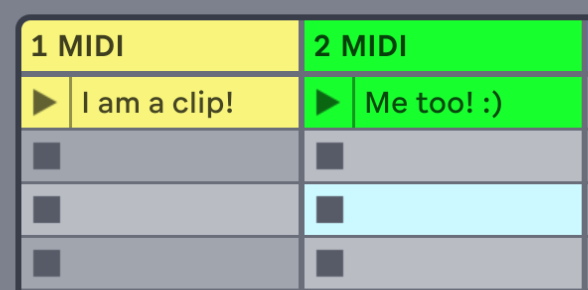
Scenes are rows of clips that you can trigger all at once. Getting your head around these two things is the key to making Session View click.

MIDI and audio tracks. MIDI tracks host instruments that live inside Ableton. Audio tracks are where you drag in loops, samples, or record live instruments and vocals. That's the core of it.
So Is Ableton Hard to Learn?
Not really. It has a learning curve, but so does every instrument worth playing.
If you're wondering whether Ableton Live is hard to learn or easy to learn, the honest answer is that it sits somewhere in between, but closer to easy than most people expect once they get past the first session.
The Session View throws people at first because it looks nothing like what they've seen before. But once someone explains what it's actually for, once that penny drops, it's one of the most intuitive creative tools I've ever used. And I've been using it for over ten years, including on two prime time Fox TV game shows and touring stages around the world.
Ableton isn't hard, it's just different. And different is worth getting used to.
If you want that penny to drop faster than it did for my first students, my Ableton Live 12 course starts exactly where beginners actually get stuck, not where a manual assumes you already are.
How long does it take to learn Ableton Live?
There is no fixed number, but here is what it actually looks like.
Week 1, you can make a loop. Load a drum kit, put a pattern in, add a bassline, launch it in Session View. Most of my students get there in the first session.
Month 1, you can finish something short. You know both views, you can record MIDI and audio, and you can export a track that plays on your phone.
Month 3 to 6, you stop looking things up. Warping, automation, racks and routing stop being obstacles and start being tools.
The variable is not how technical you are. It is how often you open it.
Someone doing 30 minutes 4 times a week will overtake someone doing a 6 hour session once a month, every time.
And you do not need to reach month 6 before you make something you like. You need week 1.
FAQ
Is Ableton hard to learn for beginners?
Ableton isn't hard to learn for beginners, but it does look that way at first. The interface throws people off because it doesn't behave like a traditional DAW. Once you understand what Session View is actually for and get a feel for clips and scenes, it clicks pretty quickly. Most of my students are making their first loop within the first session. The basics are genuinely accessible. It's the deeper features that take time, and you don't need those to get started.
How long does it take to learn Ableton?
Honest answer: a few weeks to get comfortable with the basics, a few months to feel genuinely confident. If you've used another DAW before, you'll probably move faster. If you're coming in completely fresh, expect to spend the first couple of sessions just getting your head around the layout. The key is to not try and learn everything at once. Focus on making something you like the sound of, and the rest of it will start to make sense around that.
Is Ableton better than Logic for beginners?
It depends on what you want to do with it. Logic has a more familiar layout if you've ever used any recording software before, and it does hold your hand a bit more at the start. But Ableton's Session View is something Logic doesn't have, and for anyone interested in loop-based music, beat making, or live performance, that's a massive advantage. I've taught both, and I find students who commit to Ableton early tend to develop a more creative workflow faster.
Do you need music theory to use Ableton?
No, and this is one of the things I really like about Ableton Live 12. The Scale Mode feature highlights the notes in whatever key you've chosen, so you can't easily play a wrong note. The chord progressions in the browser give you something to start with before you understand any theory. Music theory is absolutely worth learning over time, but it's not a barrier to getting started. You can make genuinely good music in Ableton before you know what a major seventh chord is.
Can you use Ableton for live performance?
Yes, and this is honestly one of the main reasons I recommend it. I've used Ableton Live on touring stages around the world and on prime time TV productions. Session View was specifically designed for live performance. You can trigger loops, drop sections in and out, and control the whole set in real time without being locked to a fixed arrangement. If you're thinking about performing live at any point, Ableton gives you a huge amount of flexibility that most other DAWs simply don't have.
Final Thoughts
If you want to know how to get started with Ableton, the answer is simpler than you think. Open it, load up the demo song, and just press play on a few clips. Don't try to understand everything at once. Just get a feel for how it responds.
The rest will come.
And if you want to go deeper with Ableton Live, I have courses over at pushpatterns.com that take you from complete beginner to confident producer, step by step.
About the Author
Craig Lowe is a professional touring playback engineer and music production educator based in the UK. He teaches at ICMP, BIMM, NAM, Tring Park, and Thinkspace Education Online, and has worked on prime time Fox TV game shows. He runs Push Patterns at pushpatterns.com, where he creates courses and tutorials for Ableton Live producers.
If you want to see all of this in action, I've put together a free Ableton Live tutorial walking through the whole thing from scratch.
You can watch it here -
If you are interested in learning Ableton Live 12 or the Push 3 in a bit more detail, check the course here:
