
How to Make Music Like Bicep on the Ableton Push 3
May 24, 2026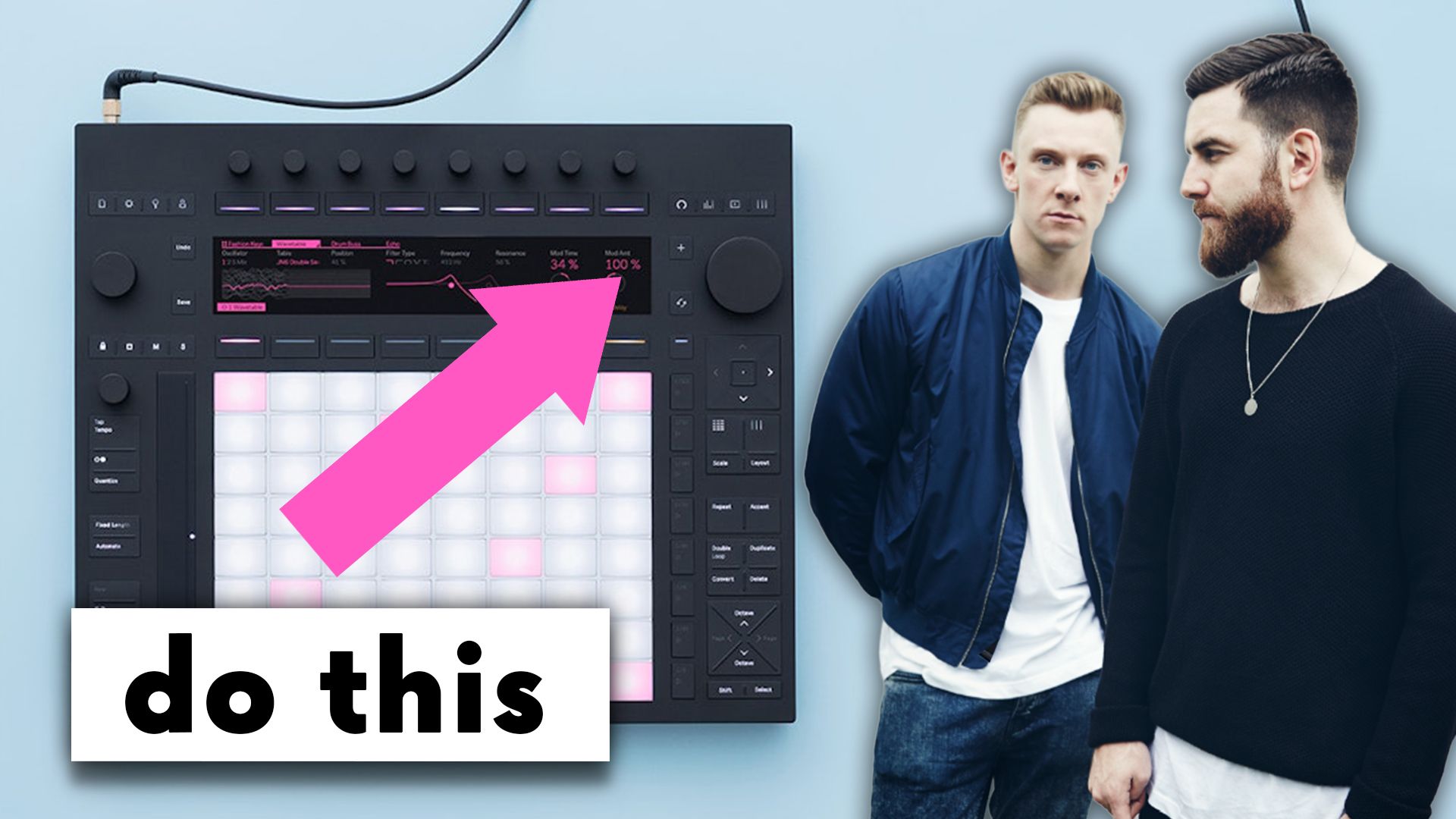
There's something about Bicep's music that makes it feel alive in a way most electronic music doesn't.
Their tracks move. Subtly. Constantly, in a way that makes the music feel like it's being played rather than programmed.
For years I assumed it was the gear. The hardware synths, the outboard, the basement studio in Shoreditch. And some of it is. But the techniques underneath are simpler than people think, and they translate directly onto the Ableton Push 3 standalone with the right Max for Live devices.
This post breaks down 3 specific modulation techniques Bicep use, how to recreate each one on Push 3 without a laptop, and what to install before you start.
I've spent the last few years touring with Ableton playback rigs and teaching production at ICMP, BIMM, and ThinkSpace Education. The 3 techniques below come up in workshops all the time, usually when a student asks why their tracks feel static and Bicep's don't.
Here's the answer.
What makes Bicep's sound feel different (and how to make music like Bicep yourself)
Most producers chase Bicep's sound by trying to copy the surface. The drum samples. The synth presets. The reverb tails.
It rarely works. The drums sound close, the synth gets in the right ballpark, and the track still feels flat compared to the original.
That's because the thing making Bicep's music feel alive isn't the sounds. It's modulation.
In a Bicep track, one element is almost always physically moving another one. The drums are shaping the synth. The hi-hat groove is gating the vocal. The lead's portamento isn't fixed, it's drifting. The result is music where every element is reacting to every other element, and the listener can feel it even if they can't name it.
This is a hardware-era technique. Old analogue synths often had filter trigger inputs, and producers would patch the envelope of a drum loop into the filter cutoff of a synth so the synth would breathe in time with the kick. Bicep, who built their sound around exactly this kind of hardware patching in their basement studio, lean on it heavily.
The good news is you don't need a basement full of synths to do it. You can do it on Push 3 standalone, with no laptop, once you have the right modulation devices installed.
If you want the deeper context on how Bicep build their tracks inside Ableton Live more broadly, I've walked through the full approach in the Bicep Ableton Live tutorial.
The Max for Live pack you need for Push 3 standalone
Before any of this works, there's a problem to solve.
Ableton's stock modulation devices (LFO, Shaper, Envelope Follower) are powerful in Live on a laptop. But on Push 3 standalone they're crippled. You can drop them on a track. You can hear them work. But you cannot map their parameters to anything from Push 3 directly. Why this is the case, I have no idea, but it is.
This kills the workflow. The whole point of Push 3 standalone is you don't need a laptop. If you have to plug into a computer every time you want to map a modulator, the device might as well not exist on Push.
Elisabeth Homeland has fixed it. She's built modified versions of the stock devices specifically for Push 3 standalone, and they're free to download from her site. The pack covers LFO, Shaper, Envelope Follower, Shaper MIDI, and Envelope MIDI.
These look identical to the Ableton stock versions. Same UI. Same parameters. The only difference is that they map directly from Push 3 standalone, which is the only difference that actually matters.
Install the pack into your Ableton User Library and the devices will appear on your Push 3 standalone the next time you connect it. From that point, every technique below works without a laptop.
Link to the pack is at Elisabeth Homeland's site.
If you've never moved a Max for Live device onto Push 3 standalone before, the install process needs a specific folder location and a sync step, and I've covered the whole sequence in the Max for Live transfer guide for Push 3 standalone.
How to use the envelope follower to make synths move with your drums
This is technique 1. The drum-driving-the-synth trick that gives Bicep tracks their pulse.
Set it up like this.
Add a synth track. Whatever you've got. A pad, a lead, a bass, doesn't matter for the technique.
Drop the modified Envelope Follower onto the synth track from the Elisabeth Homeland pack. In the device, set the source to a drum loop on another track. The drums are now the modulation source.
Use the map function on the Envelope Follower to map its output to the filter cutoff on your synth. On Push 3 standalone, this is where the modified device earns its place. The mapping happens from the pads, no laptop required.
Now play the project. The synth's filter is opening and closing in time with the amplitude of the drum loop. Loud kick, filter opens. Quiet space, filter closes.
The 2 parameters to live inside on Push 3 are gain and floor. Gain controls how much the drums modulate the filter. Floor controls where the filter sits when the drums are quiet.
The thing to listen for is movement, not effect. If you can clearly hear "the filter is opening on the kick," the depth is too high. Pull it back until the movement is something you feel rather than something you point at.
You can do this on any parameter. Filter cutoff is the obvious one. Try it on the resonance, on the LFO rate of another modulator, on the send to a reverb. Once you have a drum loop driving modulation, every parameter on the synth becomes a candidate for movement.
How Bicep create chopped vocals without chopping them
Apricots has one of the most recognisable vocal samples in modern dance music. Most producers hear it and assume it was sliced up, quantised, and resequenced.
It wasn't.
Bicep ran the vocal through a noise gate and used a 909 hi-hat as the sidechain source for the gate. The hat opens and closes the gate, and the rhythm of the hat becomes the rhythm of the vocal. The vocal itself is one continuous loop. The chopping is the gate, not the edit.
The reason this matters is that the feel is different. A chopped vocal sounds chopped. A gated vocal sounds rhythmic, like the vocal is breathing in time with the drums. The 2 sound similar on paper. In the track they sound completely different.
Here's how to do it on Push 3.
Load your vocal sample onto an audio track. Drop a Gate device on the track.
In the Gate, set the sidechain input to the hi-hat sample on another track. The hi-hat is now triggering the gate.
The 3 parameters to focus on are attack, hold, and release.
Attack controls how quickly the gate opens when the hat hits. Fast attack gives you a snappy choppy vocal. Slow attack gives you a softer entry.
Hold controls how long the gate stays open after the hat hits. Short hold gives you stutter. Longer hold gives you a more sustained chop.
Release controls how the gate closes. Short release is choppy and abrupt. Longer release is smoother and more hypnotic.
Pull the release back hard and you get the Apricots-style chop. Open it up and the vocal becomes a flowing rhythmic element rather than a stutter.
The hi-hat doesn't have to be a 909. Try it with a closed hat, an open hat, a shaker, even a kick. Different sidechain sources give the vocal a completely different rhythmic shape.
How to make a lead synth breathe using dual LFOs
This is the one that makes the lead in Atlas feel alive.
A static lead is the dead giveaway that a track is programmed rather than played. The portamento is fixed. The amp attack is fixed. Every note triggers the same way. The synth sounds like a sample, not an instrument.
Bicep deal with this by running slow LFOs on the parameters that would normally be static. The lead is constantly drifting in tiny ways, so no 2 notes hit the same way twice.
Set it up like this on Push 3.
Add a mono synth to a track. Lead patch.
Drop 2 instances of the modified LFO onto the track. Map LFO 1 to the amp attack on the synth. Map LFO 2 to the portamento dial.
Keep both LFO rates slow. Slower than you think. Slow enough that you can't tell they're moving when you stare at the device. The point is that the lead changes shape over the course of a bar or two, not that it wobbles on every note.
Keep the depth subtle. This isn't a dramatic effect. If you can point at the modulation and say "there it is," it's too much. The right amount is when you can hear the lead is alive but you can't say exactly why.
The combined effect of the 2 LFOs is that the lead slides a little harder here, plucks a little softer there, drifts up and back down across phrases. Every repetition is slightly different. The synth stops being a static sound and becomes something that's playing itself.
This is seasoning, not flavour. You should never notice it on first listen. You should only notice when you turn it off.
Can you do this with stock Ableton devices
Short answer: yes on a laptop, no on Push 3 standalone.
The stock LFO, Shaper, and Envelope Follower devices in Ableton Live are the foundation of everything above. The Elisabeth Homeland pack is not adding new functionality. It's making the existing functionality accessible from Push 3 standalone.
If you're working on a laptop with Ableton open, use the stock devices. They work fine. The technique is identical.
If you're working on Push 3 standalone with no laptop, the stock devices will load but you cannot map them. According to Ableton's official documentation, modulation devices have limited control on Push 3 standalone because mapping a modulator to a parameter requires a step the standalone UI can't currently perform. This is a known limitation. The Elisabeth Homeland pack is a workaround built by a developer to fix it.
Ableton have started chipping away at this limitation in recent updates, and the 12.4 release added a Visible option that exposes parameter mapping in the stock LFO directly to Push, which I broke down in my full write-up on the Ableton 12.4 update.
For the noise gate sidechain technique, the stock Gate device works on Push 3 standalone. No third-party replacement needed for that one. The sidechain routing maps from the pads natively.
For the envelope follower and the dual LFO techniques, you need the modified pack if you want to do it without a laptop.
Key takeaways on making music like Bicep
- Modulation is what makes Bicep's music feel alive. Static tracks sound programmed. Modulated tracks sound played, and that difference is what people are hearing when they say a Bicep track has feel.
- The envelope follower is the workhorse. Using a drum loop to modulate any parameter on a synth gets you most of the way to the Bicep pulse. It works on filter cutoff, on resonance, on send levels, on anything you can map.
- Gate a vocal instead of chopping it. The Apricots vocal effect is a noise gate with a hi-hat sidechain, not a slice-and-resequence edit. The feel is fundamentally different from a chopped sample.
- Slow LFOs are seasoning, not flavour. Both the portamento LFO and the amp attack LFO should be subtle enough that you don't notice them on first listen. You should only notice when you turn them off.
- Push 3 standalone needs the Elisabeth Homeland Max for Live pack. Ableton's stock modulation devices don't map from Push 3 standalone. The modified pack fixes this and is free to download.
Final thoughts on how to make music like Bicep on Push 3
The reason most "how to make music like Bicep" tutorials fall short is that they focus on the sounds. The drum samples to use. The synth preset to copy. The reverb settings.
The sounds matter, but they're not the difference. The difference is modulation.
Bicep's tracks feel alive because the elements are physically moving each other. Drums shape synths. Hats gate vocals. LFOs drift across leads. Once you build that into your workflow, you can use any sounds you like and the music will start to feel the way theirs does.
The Ableton Push 3 standalone makes this hands-on in a way a laptop session can't quite replicate. You're touching parameters, not clicking them. The modulation feels intentional because you're shaping it in real time. With the Elisabeth Homeland pack installed, every technique above works without a computer in the room.
If you want a structured walk through every workflow Push 3 can do once you have the modulation set up, from Session View performance to building drum kits to setting up MIDI mappings, my full Ableton Push 3 course covers it end to end.
If you want to see the techniques above in action, the full breakdown is on the Push Patterns YouTube channel.
Frequently asked questions
What DAW does Bicep use?
Bicep use Ableton Live. They confirmed in a Reddit AMA that they have been using it since pretty much the first version, and Ableton fits the way they write because it lets them sketch ideas in Session View and arrange them later. Their basement studio in Shoreditch combines Ableton with a lot of outboard hardware, including TR-909, SH-101, Juno-60, and various Eurorack gear, but Ableton is the DAW everything runs through. If you want to recreate the techniques in this post, Ableton Live 12 Standard or Suite is what you need.
What synths does Bicep use?
Bicep run a hardware-heavy setup. Confirmed gear includes the Roland SH-101, Roland Juno-60, Roland Juno-6, Korg M1, Korg Mono/Poly, Yamaha DX7, and Akai MPC 2000XL, plus a TR-909, TR-808, and TR-606 for drums. They also use the Sherman Filterbank 2 for processing and a Pioneer Toraiz SP-16 sampler. On Apricots specifically, the lead synth is in the SH-101 territory. You don't need any of this hardware to apply their techniques. The modulation tricks in this post recreate the feel using Ableton stock devices and Max for Live.
Is Push 3 good for live performance like Bicep?
Push 3 standalone is one of the best Ableton-based live performance tools on the market. It has 64 expressive pads, a full audio interface built in, and runs Ableton Live independently without a laptop. Bicep's live setup is hardware-led with synths and outboard gear rather than Push, but the workflow Push 3 supports is the same Session View clip launching that Ableton has always been known for. For a live setup that uses the modulation techniques in this post, Push 3 standalone with the Elisabeth Homeland Max for Live pack gives you hands-on control over every parameter.
What is the envelope follower in Ableton?
The envelope follower is a Max for Live device that captures the amplitude of an incoming audio signal and turns it into a control signal you can use to modulate any mapped parameter in Live. The most common use is letting a drum loop control the filter cutoff on a synth, which is the technique used in this post for the Bicep-style pulse. You can map up to 8 parameters at once, and the device has gain, rise, fall, and delay controls to shape how the envelope responds. It comes built into Ableton Live 11 and 12 Suite.
Does Push 3 standalone support all Max for Live devices?
No. Most Max for Live devices built into Ableton's core library work on Push 3 standalone, but third-party Max for Live devices are not guaranteed to work, and modulation devices have specific limitations even when they do load. On the stock LFO, Envelope Follower, and Shaper, parameter mapping cannot be done from Push 3 standalone directly. The Elisabeth Homeland Max for Live pack solves this by providing modified versions that map natively. Sequencer-based devices like Melodic Steps load as playback only, with no note entry from Push.
Did Bicep really use a gate on the Apricots vocal?
Yes. Bicep ran the vocal sample through a noise gate triggered by a sidechain input from a 909 hi-hat, which is what creates the rhythmic chopped feel without actually chopping the sample. MusicTech's deconstruction of Apricots confirmed a Fabfilter Pro-G gate with the MIDI Enable function used to trigger the gate from incoming MIDI rather than the internal threshold. The original sample itself is sourced from Hugh Tracey's recording of Gebede-gebede Ulendo Wasabwera, layered with Le Mystère Des Voix Bulgares.
Do I need Ableton Suite to use Max for Live on Push 3?
You need Max for Live, which comes built in with Ableton Live 11 or 12 Suite. If you have Ableton Live Standard, you can buy Max for Live as an add-on. Ableton Live Intro and Live Lite do not support Max for Live at all. The Elisabeth Homeland pack works on any version of Ableton that has Max for Live installed, including Standard with the add-on. Both versions of Push 3, the controller and the standalone, ship with Ableton Live 12 Intro included, which means you'll need to upgrade to Standard with Max for Live or Suite to use the modulation pack.
If you are interested in learning Ableton Live 12 or the Push 3 in a bit more detail, check the course here:
