
Novation Launch Control 3 Review for Ableton Live: Best Compact MIDI Controller for Hybrid Setups?
Mar 03, 2026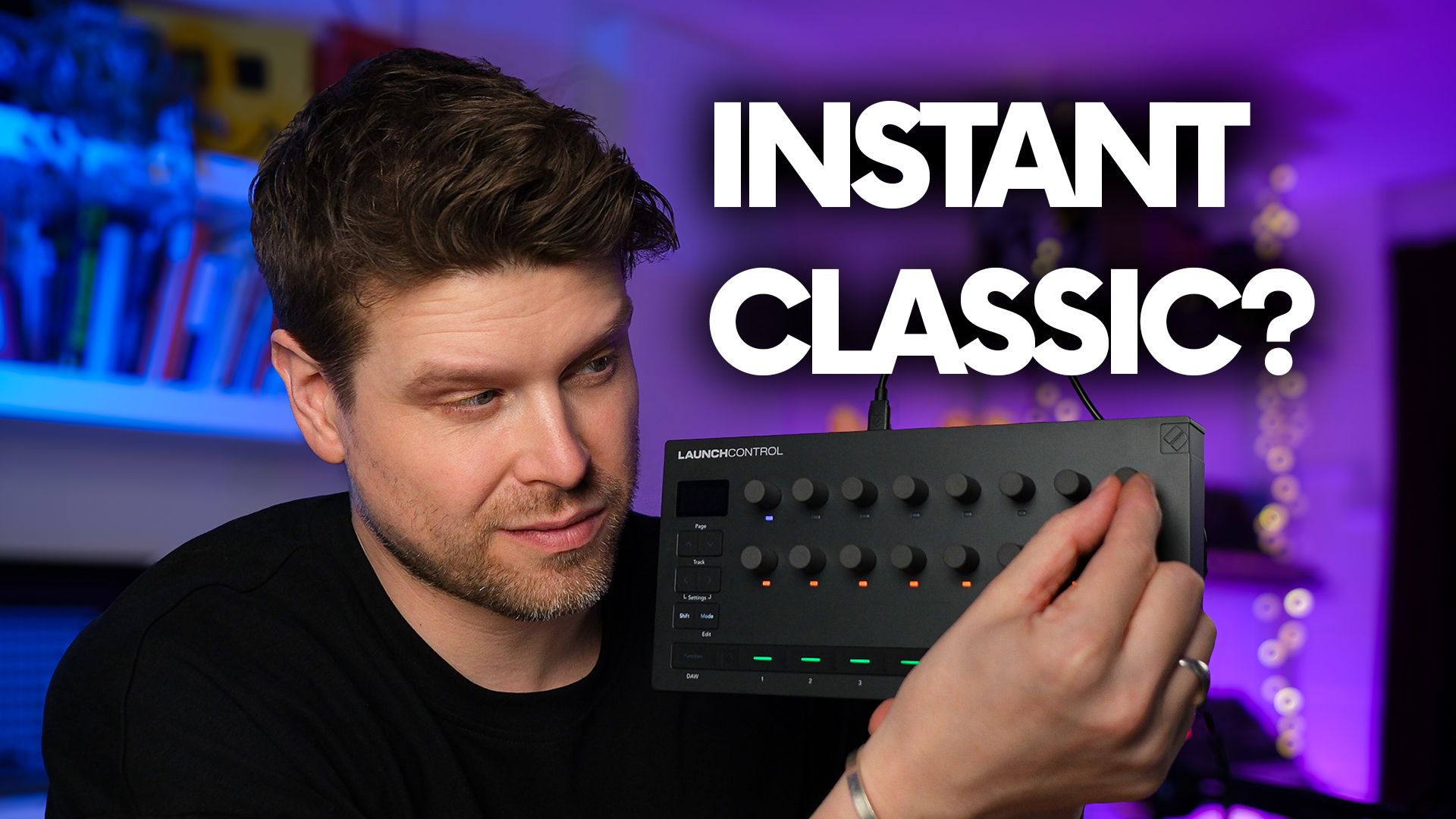
The Novation Launch Control 3 promises a lot for Ableton Live users. You get compact hands-on control, full 5-pin MIDI for hardware, and tight integration that makes it look like an ideal MIDI controller for hybrid and DAWless setups.
On paper, it ticks a lot of boxes. In practice, though, there is one key part of the experience that could completely change whether this feels like a smart upgrade or a frustrating compromise.
Key Takeaways
-
Full 5-pin MIDI I O for hardware setups
-
Endless encoders eliminate parameter jumps
-
OLED screen shows real-time parameter names
-
Seven fully customisable user modes
-
Ideal for mixing and device control in Ableton

What Is the Novation Launch Control 3?
The Novation Launch Control 3 is a compact USB MIDI controller designed for hands-on mixing and device control.
It is the smaller sibling to the Novation Launch Control XL 3, offering the same workflow concept without faders.
You get:
-
Two rows of endless rotary encoders with RGB LEDs
-
Eight assignable buttons
-
Crisp OLED display
-
5-pin MIDI In, Out, and Out Thru
-
USB connectivity
It is built for producers who want physical control without committing to a large control surface.
How Does It Work With Ableton Live?
With Ableton Live, integration is automatic.
There are two main DAW modes.
DAW Mixer Mode
-
Top row controls track pan
-
Bottom row controls track volume
-
Shift and Page gives access to sends
-
Buttons handle solo, arm, mute, and track select
Everything maps instantly with no manual setup.
DAW Control Mode
Encoders automatically control the selected device.
Select a track and parameters map immediately. Switch tracks and the mappings update in real time.
The OLED screen displays:
-
Parameter name
-
Track name
-
Current value
There is no guessing what you are controlling.
Why Do Endless Encoders Matter?
The encoders have no fixed start or end point.
This means:
-
No sudden parameter jumps
-
No value mismatches when switching tracks
-
Smooth transitions between songs or presets
Traditional fixed pots can cause abrupt jumps if the physical position does not match the software value. Endless encoders remove that issue completely.
The trade-off is that there is no tactile position reference. You rely on:
-
RGB LED rings
-
OLED value display
You can also adjust encoder sensitivity to fast, medium, or slow response curves in the settings.

Can It Control Hardware Synths Without a Computer?
Yes.
Unlike most compact controllers, it includes full-size 5-pin MIDI In, Out, and Out Thru.
You can connect directly to hardware synths with no USB host box and no computer required.
For DAW-less or hybrid setups, this is a major advantage.

What Are Custom Modes and Why Are They Powerful?
Custom Mode is where it becomes highly flexible.
Using Novation Components, you can:
-
Create up to seven custom modes
-
Assign CC, high-resolution NRPN, or MIDI notes
-
Send program change messages
-
Choose LED colours
-
Name each control
You can even batch edit multiple encoders at once.
This allows the Launch Control 3 to act as:
-
A dedicated hardware synth controller
-
A preset manager via program change
-
A tailored live performance control surface
Switch between stored presets directly on the device.
How Small Is It in Practice?
It is genuinely compact.
It fits easily on almost any desk and works well in minimal or portable setups.
If space matters, this is a clear advantage over larger control surfaces.

Are There Any Limitations?
Yes, depending on your needs.
-
No faders
-
No clip launching grid
-
No tactile encoder position feedback
If you prioritise clip and scene launching, other controllers may suit you better.
This device is focused on mixing and parameter control.
Top 10 FAQs About Launch Control 3
1. Who Is Launch Control 3 Best For?
It is best for Ableton users and hybrid producers who want compact, hands-on control for mixing, devices, and hardware synths.
2. Does It Work Without a Computer?
Yes. The 5-pin MIDI ports allow direct control of hardware gear.
3. Does It Automatically Map in Ableton Live?
Yes. Mixer mode and device control mode both map automatically to the selected track.
4. Can I Create My Own MIDI Layouts?
Yes. You can store up to seven custom modes using Novation Components.
5. Can It Send Program Change Messages?
Yes. Buttons in custom mode can send program change for switching hardware presets.
6. What Is the Difference Between Launch Control 3 and Launch Control XL 3?
The XL 3 includes faders. Launch Control 3 focuses purely on encoders and compact size.
7. Do the Encoders Have Physical End Points?
No. They are endless encoders with LED visual feedback.
8. Can I Adjust Encoder Sensitivity?
Yes. You can select fast, medium, or slow response curves.
9. Is It Good for DAW-Less Setups?
Yes. The dedicated 5-pin MIDI ports make it well-suited for hardware-only rigs.
10. Is It Suitable for Clip Launching?
No. It is designed for mixing and parameter control rather than grid performance.
Final Recommendation
If you want compact size, deep Ableton integration, smooth jump-free control, and genuine hardware MIDI connectivity, the Novation Launch Control 3 is a strong choice.
If clip launching and faders are essential to your workflow, you will want to consider other options.
For mixing, device control, and hybrid setups, it is one of the most practical compact controllers available.
If you are interested in learning Ableton Live 12 or the Push 3 in a bit more detail, check the course here:
